PowerPhotos 3.4.4 for Mac
PowerPhotos 3.4.4 MacOS
A Photos library utility for Mac owners who outgrow one catalog split archives, merge old libraries, or hunt duplicates without manually exporting through the Photos app one album at a time.
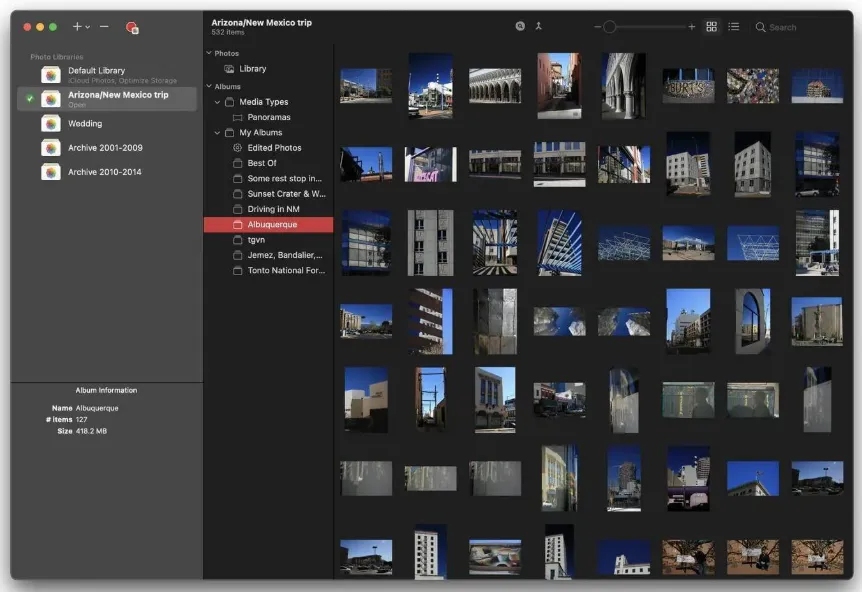
Register libraries and browse like Photos
Add every Photos library on your Mac local disks, externals, or archived iPhoto and Aperture packages—and switch between them from one window. The in-app photo browser mirrors many Photos tasks: move shots between albums, rename folders, delete items, and inspect metadata in an integrated viewer instead of bouncing through Quick Look. Drag albums or selections to copy or move them between libraries while preserving keywords, titles, favorites, and edits where PowerPhotos supports them.
How do I install and activate?
Mount the image and launch Open Gatekeeper Friendly.
Press Enter to bypass Gatekeeper in the Terminal window.
Drag the application to the Applications folder.
The application is ready to use.
Compatibility
macOS 14 and later