Bartender 7.0.2
Bartender 7.0.2 for Mac
Surtees Studios’ menu-bar organizer for macOS 27: park extra status icons, then bring them back with a hotkey, a trigger, or the Command Bar.
Layout, Command Bar, and no required capture
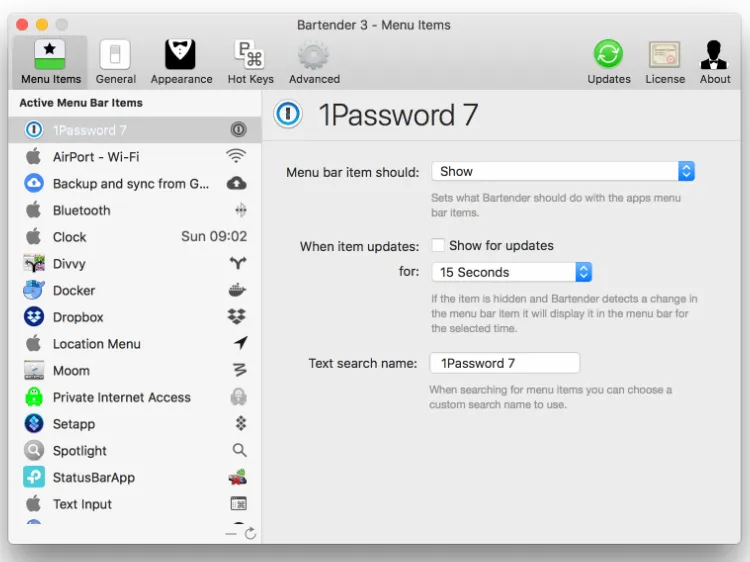
Open the layout page and split items into shown and hidden. A hotkey or the new Command Bar can search an icon, apply a preset, or run an automation without chasing the pointer to the notch. Screen Recording is optional: leave it off and you still arrange the bar, but previews and Bartender Bar show app icons instead of live snapshots. Captures, when enabled, stay on the Mac. Focus Mode can blank the bar for a recording or a talk. Presets can follow the display set laptop-only versus a Studio Display without writing a trigger.
macOS 27 limits and this patch
This major line is built for macOS 27. Tahoe stays on Bartender 6 with the same key until 7 ships there. Some menu-bar apps, including iStat Menus, may still be auto-hidden; hiding one icon from an app still hides all of that app’s items; overflow rearranges can flicker unless you move overflow into Hidden. Version 7.0.2 lets you drag Control Center pieces such as battery and Wi-Fi without the old “Allow hiding system items” flag, and it can refresh a bar that sticks on some 27 builds.