PCalc 4.11.5 for Mac
PCalc 4.11.5 MacOS
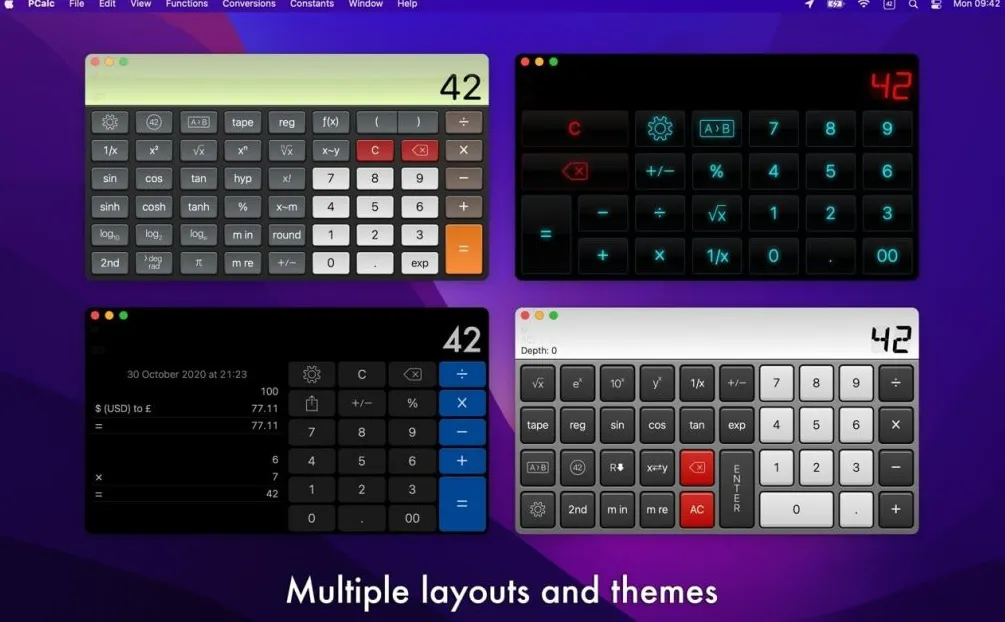
A long-running scientific calculator for Mac that stays in the menu bar or floats above spreadsheets aimed at engineers, developers, and students who outgrow the built-in Calculator app.
Launch PCalc from the Dock or its menu bar widget for quick arithmetic without leaving your current app. Switch between algebraic and optional RPN modes, use multi-line stack display when you need to see previous operands, and rely on undo/redo when a long calculation goes wrong. Engineering and scientific notation, parentheses, and a simulated paper tape help you audit tax, lab, or finance work before copying results elsewhere. The tape window keeps a scrolling history you can review or paste from, while an optional ticker tape can scroll recent results under the main display.
How do I install and activate?
Mount the image and launch Open Gatekeeper Friendly.
Press Enter to bypass Gatekeeper in the Terminal window.
Drag the application to the Applications folder.
The application is ready to use.
Compatibility
macOS 11 and later