Dropzone 5 5.0.9 for Mac
Dropzone 5 5.0.9 for Mac Free Download
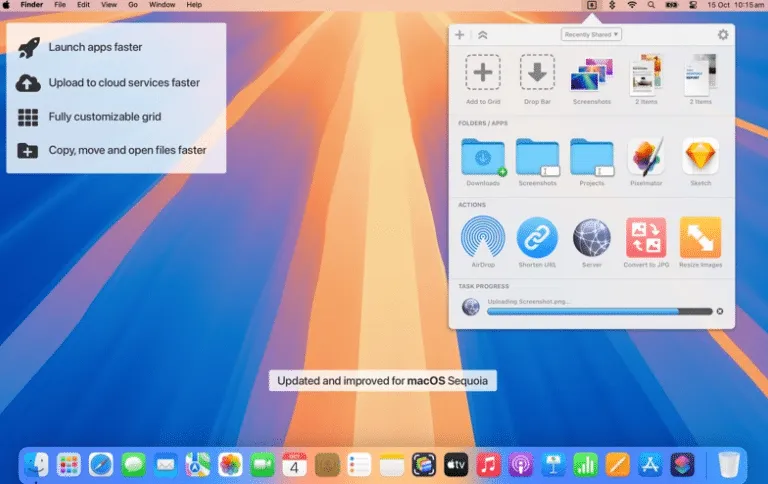
A menu-bar Mac utility from Aptonic that turns drag-and-drop into a configurable action grid for moving files, launching apps, uploading to services, and running scripts now rebuilt as the successor to Dropzone 4 with a Liquid Glass interface for macOS Tahoe.
You drag a file toward the top of the screen and the Dropzone grid appears, or you click the menu-bar icon or press F3 to open it. Drop onto an action to copy to a project folder, AirDrop to another Mac, resize an image, shorten a URL with TinyURL, upload to Imgur, or run a Shortcut. Drop Bar holds files temporarily on a floating shelf until you drag them into another app or action. Version 5 adds multiple grids so you can keep separate layouts for work, personal files, or media tasks and switch with the grid selector or ⌘1–⌘9 shortcuts.
How do I install and activate?
Mount the image and launch Open Gatekeeper Friendly.
Press Enter to bypass Gatekeeper in the Terminal window.
Drag the application to the Applications folder.
The application is ready to use.
Compatibility
macOS 13 and later