Bitwig Studio 6.1
Bitwig Studio 6.1 for Mac
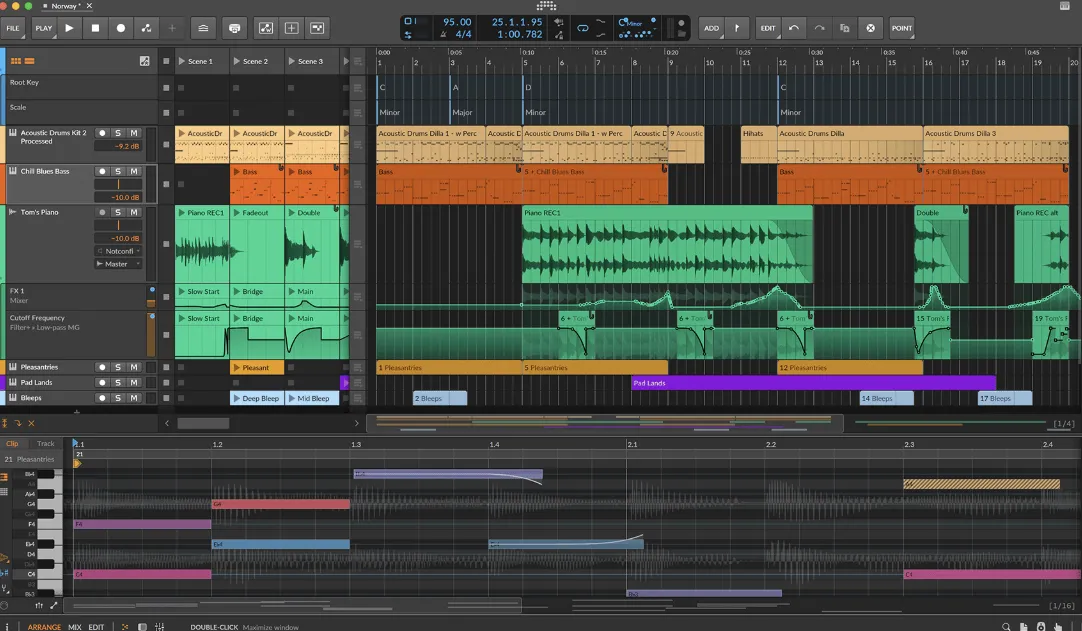
A clip-and-device DAW that keeps sampling, modulation, and The Grid inside the same project so sound design and arranging share one session.
From dropped audio to a playable instrument
Open a project, drop a sample onto a track or an existing Sampler, and decide how it should load. A normal drop uses your default Sampler preset. On a Mac, Command-drag inserts a sliced Sampler (one-shot envelope, Digi Mono choke); Option-drag inserts Spectral stretch. Several files at once can become a round-robin or tuned multisample. From a selected clip, Slice to sliced Sampler bounces the audio into slices you can trigger from the piano roll or a controller. Slicing modes include equal divisions, beat grid, onsets, detected pitch changes, or a blank manual map you edit by double-clicking the waveform. Trigger by all keys, white or black keys, velocity, or the Select parameter which modulators and automation can step through like a second dimension.
Analyzed Root Key replaces a single root note with a pitch track, so a vocal or bass take can follow the notes you play. Spectral mode is built for clean time-stretch and harmonic bend; Fragments is the new granular engine. Both of those play modes ship only in the full Bitwig Studio edition. Producer, Essentials, and 8-Track still get slicing, hardware-style Repitch characters, and the rest of the Sampler rewrite. A Tuner device (and a matching Grid module) shows cents, frequency, and a short history of how in-tune recent notes were. After you update the Essentials package, search the release tag in the Browser to load starter presets.
How do I install and activate?
Installation and activation instructions are included (inside).
Compatibility
macOS 12 and later