Canopy v2 1.0 for Mac
Canopy v2 1.0 MacOS
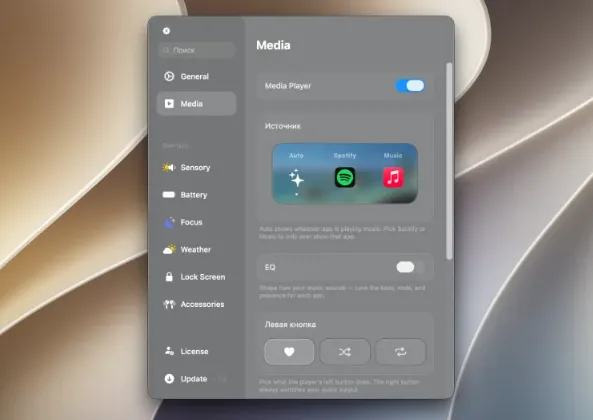
The camera notch on a MacBook often sits unused while music, messages, and stray files still pull you into separate apps a Dynamic Island-style strip at the top of the screen keeps those glances in one place.
After you download and unlock the app from the getcanopy.pro site, it sits at the top of the screen on notched MacBooks or along the upper edge on external displays and notchless machines. Hover or click the pill to expand notifications, see what is playing, or reach the file utilities the vendor lists alongside media and alerts. A typical workflow is: finish a download or screenshot, drag it toward the island for a quick hand-off, then return to your editor without opening Finder or Control Center for every minor transfer.
How do I install and activate?
Run the downloaded image and drag the application to the application folder shortcuts.
After copying is complete, you can launch the application from Launchpad.
Compatibility
macOS 26 and new releases