Radiccio 1.5.1 for Mac
Radiccio 1.5.1 MacOS
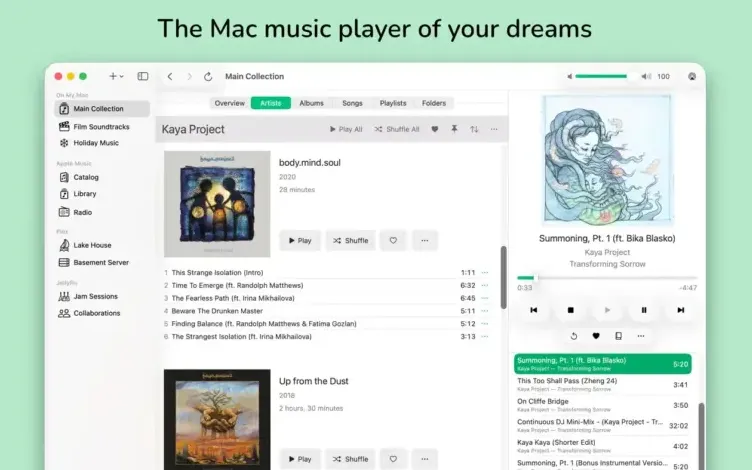
A Mac music player built to merge owned files, subscriptions, and home-server libraries in one calm sidebar instead of bouncing between Music.app, Plex clients, and browser tabs.
Add sources, then browse your way
You connect local “On My Mac” folders, Apple Music, Navidrome, OpenSubsonic, Plex, or Jellyfin with the plus button or File menu, then browse artists, albums, songs, playlists, or folders depending on what each source exposes. On My Mac libraries with Librarian enabled gain pins for albums and artists, favorites that focus playback on your best tracks, auto-skip to hide songs you never want to hear, and Journal notes that capture how a record felt over time. Single source mode moves Overview, Artists, Albums, Songs, Playlists, and Folders into the sidebar when you mainly listen from one library, which is cleaner than keeping an empty source switcher visible all day. A typical session starts by picking a source, opening Albums or Artists, queuing a playlist, and letting playback continue while you pin the releases you want back tomorrow.
How do I install and activate?
Run the downloaded image and drag the application to the Applications folder shortcut.
Once the copy is complete, you can launch the application from Launchpad.
Compatibility
macOS 15 and later