Filepane – File Management 2.0.8 for Mac
Filepane – File Management 2.0.8 MacOS
Start dragging a file from Finder or another app and a small disc appears beside the cursor; drop onto it and you get type-specific actions instead of parking everything in a folder first.
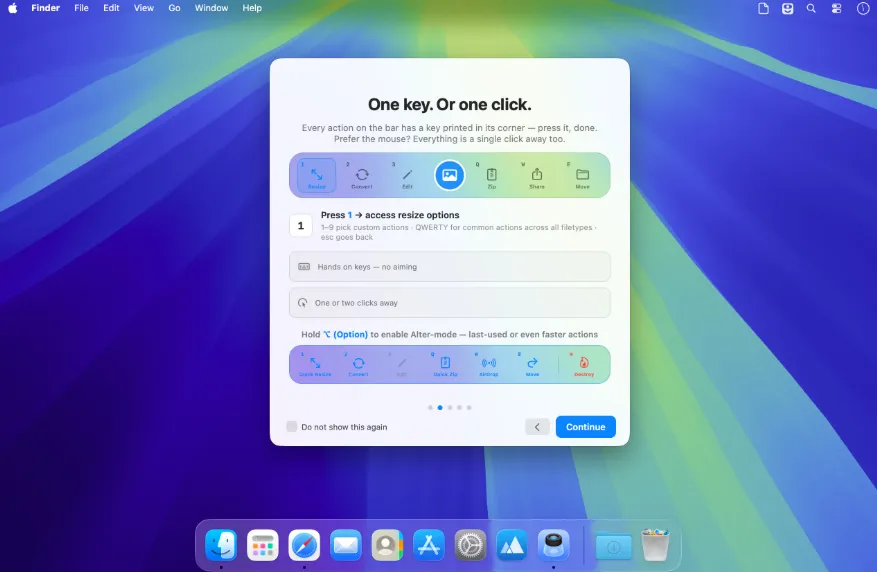
It lives in the menu bar and occupies nothing on the desktop until a drag begins. The disc can also be summoned with Control-F, or Control-Shift-F to act on the clipboard without dragging at all. After the drop, the disc becomes a compact bar around the item. Number keys 1–9 run type-specific commands printed on the bar; Q W E R T Y stay in the same place for shared tasks such as zip, share, copy path, rename, and move; Delete sends to Trash and Escape steps back. Holding Option flips many buttons to a last-used or one-shot variant (quick zip, AirDrop, print without a dialog). A pin token parks the bar; a continued-flow control can run Convert or Apply and put the result back on the bar so you can resize, then convert, then share without re-dragging.
How do I install and activate?
Mount the image and launch Open Gatekeeper Friendly.
Press Enter to bypass Gatekeeper in the Terminal window.
Drag the application to the Applications folder.
The application is ready to use.
Compatibility
macOS 13.5 and later