Magic Battery 10.0.3
Magic Battery 10.0.3 for Mac
A menu-bar readout that estimates when a Bluetooth mouse, keyboard, or pair of earbuds will run out Thursday, or 6 PM instead of leaving you with a lonely 43 %.
Open the window, read the verdict
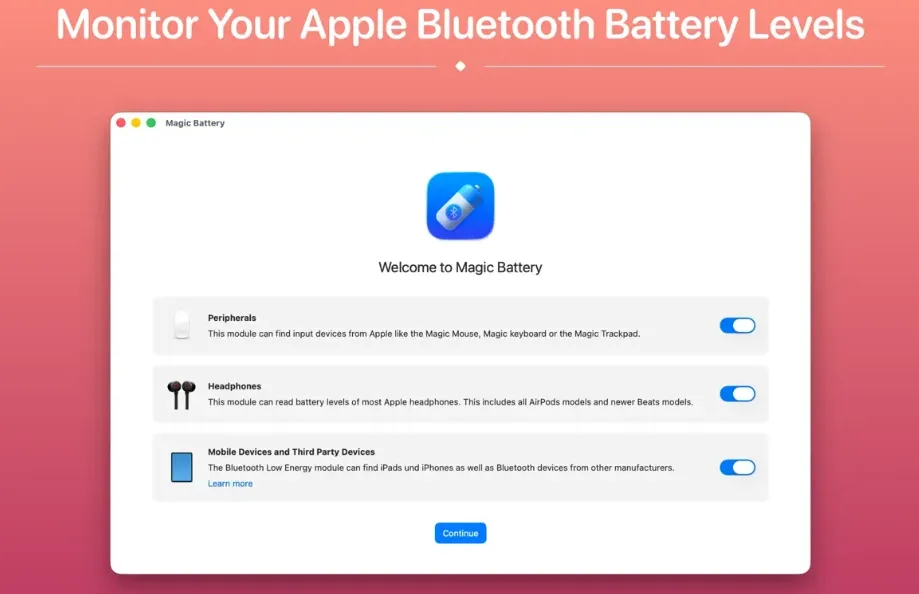
Launch it, grant Bluetooth if macOS asks, and look at the first line. It either says nothing needs charging or names the weak device and its level. Under that sit the rows: Apple Magic Mouse, Magic Trackpad, and wireless keyboards; Logitech MX Anywhere, Pebble, and K-series; AirPods (left, right, and case), Beats, Bose, and Sony. A device the app has not watched long enough says so instead of inventing an empty time. Put a mouse or trackpad on its cable and the row shows a bolt plus when it should be full; once it is, the line reads Charged rather than Charging forever.
The Mac’s own pack is on the same screen when the machine has a battery: charge, health, cycle count, condition, and time remaining. If the Mac is plugged in but not charging, the app states the reason it knows optimised charging, a charge limit, or temperature. Desktop Macs without a pack hide that page. Devices that publish the Bluetooth LE battery service can appear with firmware and serial; iPhone and iPad sometimes show up, and the vendor says that is unofficial.
Menu bar, helper, and what stays local
Each device can live as its own menu-bar item or fold into one. Compact bar, vertical bar, plain text, or text with an icon; colour or not; hide a device, rename it, or show type instead of the Bluetooth name. Low-battery alerts fire at a threshold you set between 10 and 30 percent, including the Mac pack. The app can hide its Dock icon, start at login, and follow light or dark appearance. Headphone support uses a free Batteries helper that Magic Battery can download, start, and stop. Learned drain rates stay on the Mac; the App Store privacy label lists no collected data.
Control Center is enough until it is not
Built-in Control Center already lists some Apple accessories. This is for people who want a time-to-empty, a charging ETA, one verdict line, and Logitech or other BLE gear in the same strip. It is a $2.99 one-time Mac App Store purchase with Family Sharing, not a subscription. It needs macOS 15.6 or later. Version 10.0.3 lowers CPU and energy use so the process does not get heavier the longer it runs, and it fixes a crash that could quit the app mid-session.
How do I install and activate?
Mount the image and launch Open Gatekeeper Friendly.
Press Enter to bypass Gatekeeper in the Terminal window.
Drag the application to the Applications folder.
The application is ready to use.
Compatibility
macOS 15.6 and later