VectorView 4.2.2
VectorView 4.2.2 for Mac
VectorView
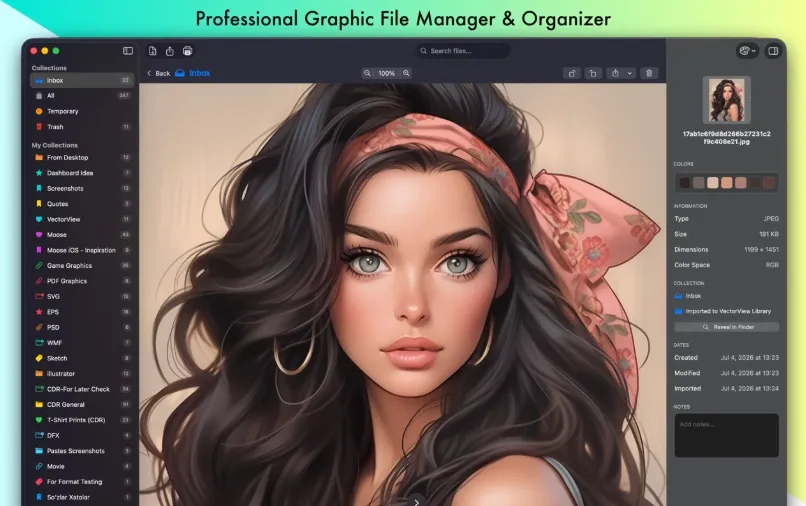
VectorView 4.2.2 for Mac — Vector & CDR LibraryDesign teams and print shops often receive CorelDRAW, EPS, PostScript, Illustrator, DXF, Visio, or layered PSD files that macOS Preview cannot render reliably this app turns those assets into a searchable thumbnail library you control on disk.
Import paths and the library model
VectorView works as a lightweight DAM for mixed vendor formats. Copy files into its managed library or point Allowed Folders at originals you prefer to leave in place. Smart Collections group artwork by client, job, or internal category, with color-coded icons, drag-and-drop reordering, and filters for date, size, and file type. Thumbnails render locally without Adobe or Corel installed; very large libraries build previews lazily in the background so grid and list views stay scrollable while work continues. If a preview stalls, the inspector still exposes metadata, dominant colors you can copy, and per-file notes.
Preview, export, and batch tasks
Select a thumbnail to inspect artwork at full size, step through multi-page PDFs or EPS jobs, or hand off to another app via Open With. Batch rename helps retitle groups of incoming deliverables after import. Pro unlocks high-DPI export to SVG, PNG, JPG, PDF, or TIFF with custom dimensions plus unlimited collections; the free download includes three collections, unlimited raster previews, but caps vector previews at about thirty files and limits export enough to validate client CDR or EPS before a seven-day trial or a Mac App Store subscription ($2.99/month, $19.99/year) or $39.99 lifetime unlock tied to your Apple ID.
Compared with Preview, Illustrator, or single-file viewers
Studios juggling Windows-origin signage files, freelancers curating mixed deliverables, and teams that need a visual index across formats will gain more here than from opening each asset in Creative Cloud. VectorView is not an editor: path edits still belong in Illustrator or CorelDRAW. For one-off EPS or CDR opens, the vendor’s EPSViewer Pro or CDRViewer may feel lighter. The Mac App Store listing requires macOS 14.6 or later on Apple Silicon or Intel, states that processing stays on-device with no developer data collection, and offers UI strings in eleven languages following your system locale. Build 4.2.2 keeps that library-first workflow while patching library relocation in Settings.