Screencast for Macos
Screencast for Macos Free Download
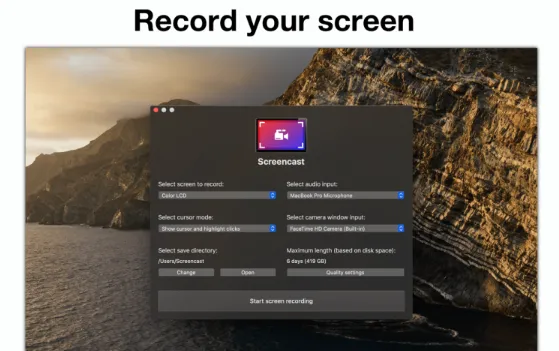
Screencast is a straightforward and easy-to-use software utility that allows you to capture, create and share your screens. This powerful application enables you to capture the screen with lossless quality. The interface of the application is well organized and anyone can use it. The aforementioned application allows you to add overlays to video, shapes, text, and images. You can make animations by adding a variety of effects such as green screen, automated captions, and more. It provides a built-in library that contains tons of music tracks, videos, and images
Another glorious feature is that you can take screenshots and customize them with the help of arrows, text, highlights, and more. The application enables you to add custom thumbnails and customize your videos according to professional needs with great ease. Lastly, you can create educational, business, and personal videos without any hesitation. All in all, if you are looking for a tool to capture and create videos, Screencast is your go-to tool.
Features
- A complete media suite to capture, create and edit your videos
- Enables you to capture hobbies, gameplay, memories, and more
- Create videos for coaching, demos, marketing, training, and others
- Offers a good-looking interface that makes the entire functionality easy
- Enables you to capture Mac screen with original quality in one click
- Allows users to add various effects and transitions to videos
Technical Details
- Mac Software Full Name: Screencast for macOS
- Version: 1.9.1
- Setup App File Name: Screencast-1.9.1.dmg
- File Extension: DMG
- Full Application Size: 19 MB
- Setup Type: Offline Installer / Full Standalone Setup DMG Package
- Compatibility Architecture: Apple-Intel Architecture