Dropzone 5 5.1.0 for Mac
Dropzone 5 5.1.0 for Mac Free Download
A menu-bar utility that turns drag-and-drop into a customizable grid of apps, folders, and actions so you can move, convert, upload, or stash files without hunting through Finder dialogs.
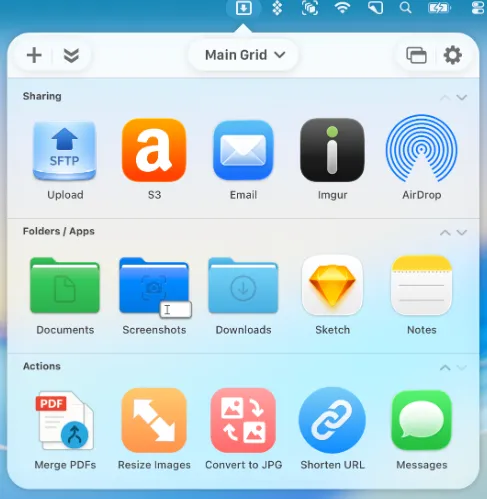
Aptonic’s Dropzone sits in the menu bar and opens a grid when you need it. Drop files onto tiles to copy or move them into folders, open them in apps, resize or convert images, shorten URLs, AirDrop to nearby Macs, or upload to Imgur. Drop Bar acts as a temporary shelf: park files on a tile until you are ready to drag them elsewhere, and pop the shelf out as a floating overlay that stays on top. Version 5 redesigns the UI for macOS Tahoe with Liquid Glass materials, a updated header toolbar, and multi-grid support separate grids for work, personal, and project setups, each with its own categories and Drop Bar.
How do I install and activate?
Mount the image and launch Open Gatekeeper Friendly.
Press Enter to bypass Gatekeeper in the Terminal window.
Drag the application to the Applications folder.
The application is ready to use.
Compatibility
macOS 13 and later