AlDente Pro 1.39.3
AlDente Pro 1.39.3 for Mac
A menu-bar charge limiter for MacBooks that live on a charger all day, so the pack is not parked at 100% for weeks.
Set a cap, then leave the adapter in
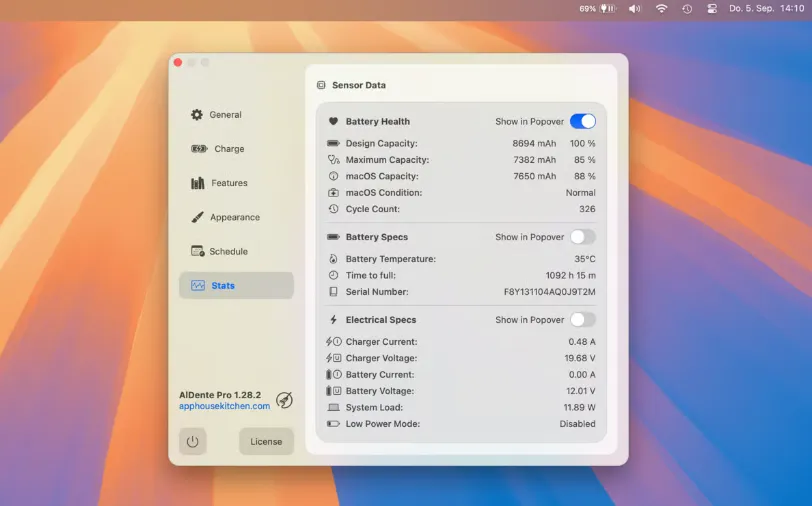
You install a helper, pick a limit (many people sit around 70–80%), and AlDente holds the battery there while the MagSafe or USB-C brick stays connected. The menu bar shows the cap and live stats. Pro adds Sailing Mode (a band such as 75–80% instead of a hard tick), Heat Protection that pauses charge when the pack is hot, Discharge to drain on battery even while plugged in, and Calibration Mode for a periodic 15–100% cycle so the fuel gauge does not drift after weeks at a low cap.
Helper, sleep, and Apple’s own limiter
The helper needs admin approval. Pro can keep the Mac awake in some charge-control situations; the vendor documents that Free does not disable sleep. Discharge does not support clamshell. macOS 26.4 added a system charge limiter of its own — useful for a simple cap, not a substitute for sailing, heat stop, calibration, or a travel schedule.
Free, Pro, and when to skip it
The free build can set a basic limit. Pro is the paid license (one key for up to three macOS user accounts) with the extra modes, widgets, and stats. If you only want Apple’s Optimized Battery Charging, you do not need this. If you need chemistry-lab readouts without a helper, look at a monitor-only utility instead.