USB Connection Info 26.34 for Mac
USB Connection Info 26.34 for Mac Free Download
A lightweight macOS menu-bar monitor for USB and Thunderbolt links that shows the speed your Mac actually negotiated—not the marketing number printed on the cable or dock.
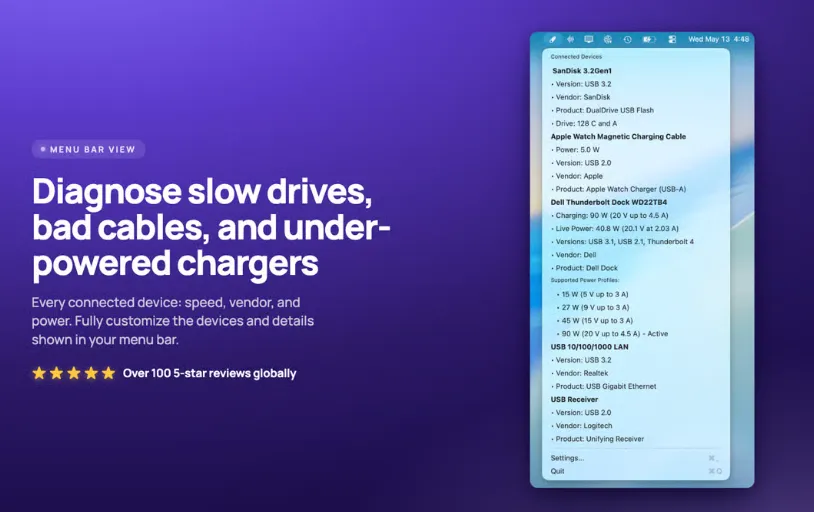
After install, the app sits in the menu bar and updates as you plug devices in. You can show an icon only, a device count, live charger wattage, or connection speed, then open the menu for vendor/product IDs, serial numbers, power draw, and related details you can copy. Finder integration can badge drive icons with connection speed and expose device info from a drive’s contextual menu. Desktop widgets (small, medium, large) keep the same status visible without opening the menu. Speed alerts can warn when a device lands slower than expected—often a cable or hub problem rather than the drive itself.