QuakeNotch 4.1.1
QuakeNotch 4.1.1 for Mac
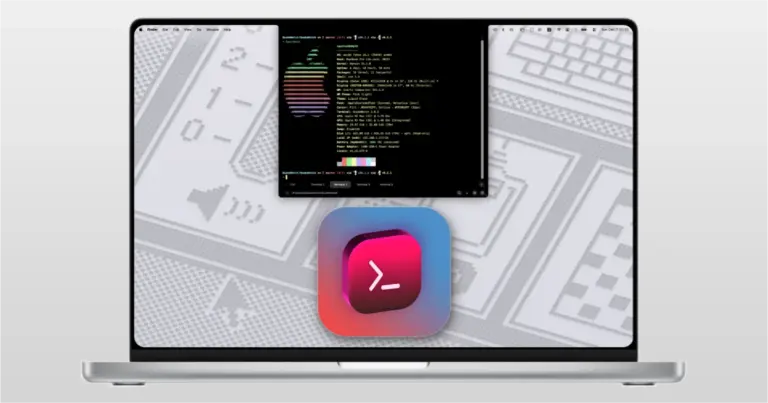
QuakeNotch is a Mac app that turns the space around the MacBook notch into a useful tool. Its main feature is a terminal that drops down from the top of the screen when you need it. It also supports Apple Music, music effects, file sharing, screen effects, shortcuts, and QPilot. It is mainly designed for people who use Terminal often. Instead of opening Terminal from the Applications folder or searching for it, you can press Control + Escape and bring it down from the top of the screen.
This is the main reason to use QuakeNotch. The terminal works like a normal Mac terminal. You can run commands, work with files, use Git, connect to another computer, and run scripts.
QuakeNotch also includes Apple Music support. When music is playing, the app can show the song and add moving music effects around the notch. This can look good, but it is not an important feature for everyone. If you do not use Apple Music, you can turn this feature off.
Apple Music also needs permission to work with QuakeNotch. Some users have reported problems when Apple Music stops responding. The developer has made changes to reduce this problem in newer versions. QuakeNotch also includes QPilot. It is designed to help with tasks such as working with files, running commands, searching for information, and handling other tasks from the QuakeNotch window.
Features
- Drop-down Terminal: Open a terminal from the top of the Mac screen.
- Keyboard shortcut: The default shortcut is Control + Escape.
- Multiple tabs: Keep several terminal sessions open.
- Split views: Use more than one terminal session at the same time.
- Font settings: Change the font and size.
- Themes: Change the look of the terminal.
- Notch settings: Change parts of the notch appearance.
- Apple Music: See music information while listening.
- Music effects: Add moving effects around the notch.
- File drag and drop: Move files into the terminal or QPilot.
- QPilot: Get help with files, commands, searches, and other tasks.
- Command progress: See progress for supported commands.
- Custom shortcuts: Change available keyboard shortcuts.
- Moving effects: Choose from several screen effects.
- Battery option: Reduce background activity when using battery power.
- Search: Find text inside terminal sessions.
- Launch at login: Start QuakeNotch when you sign in to your Mac.
- Terminal settings: Change the way the terminal looks and behaves.
Technical Details
- Software Name: QuakeNotch MacOS
- Software File Name: QuakeNotch 4.1.1.dmg
- Version: 4.1.1
- File Size: 15 MB
- File Extension: DMG
- License Type: Premium
- Developer: Meowing Cat