uDiscMounter 25.1
uDiscMounter 25.1 Download
Mount CD/DVD image files on your Windows computer thanks to this application, which supports ISO, BIN, IMG and several other formats.
Working with disc images requires dedicated software such as uDiscMounter, which can create a virtual drive, allowing you to mount images and explore their contents.
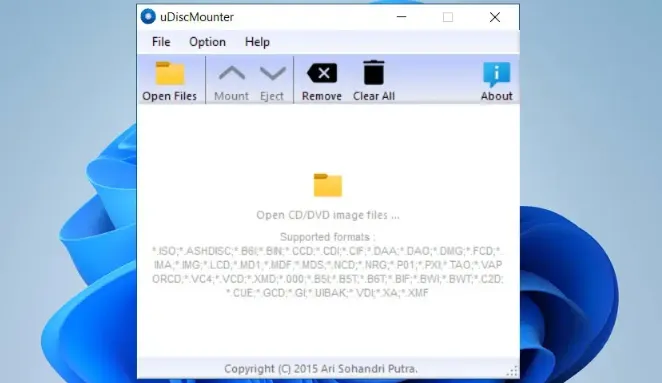
Just like other applications of the same type, uDiscMounter keeps things as simple as possible, providing a clean interface and few options to help you explore disc images.
The GUI is simple and not even the array of options in its menus are complicated. Once you load one or more images, you can choose which to mount to Windows and uDiscMounter instantly creates a virtual drive for it, allowing you to take a peek inside the image contents in Windows Explorer.
Features
- Supports Multiple Image Formats: It works with various image formats, from the famous ISO, BIN, and IMG to lesser-known types like CCD, DAA, and NRG. This ensures compatibility with nearly any disc image file you may encounter.
- User-Friendly Interface: The interface is designed with simplicity in mind. Even beginners can quickly get the hang of it. You don’t need to navigate through a maze of complicated settings—load your image, choose a virtual drive, and you’re set.
- Instant Virtual Drive Creation: It allows you to create virtual drives instantly. Once an image is mounted, you can explore its contents directly in Windows Explorer, feeling like you’ve inserted an actual disc into your PC.
- Low System Resource Usage: One of the standout features is its efficiency. It doesn’t demand much from your system, making it perfect for older computers or systems with limited resources.