Superhive Market – Animation Layers 2.3.4
Superhive Market – Animation Layers 2.3.4 Download
How It Works
When you add your first layer, the addon sets a base layer with a new action. If you already have an animation, your current action becomes the base, and a new layer is added on top of it. This allows for flexible editing without losing previous work.
Workflow Benefits
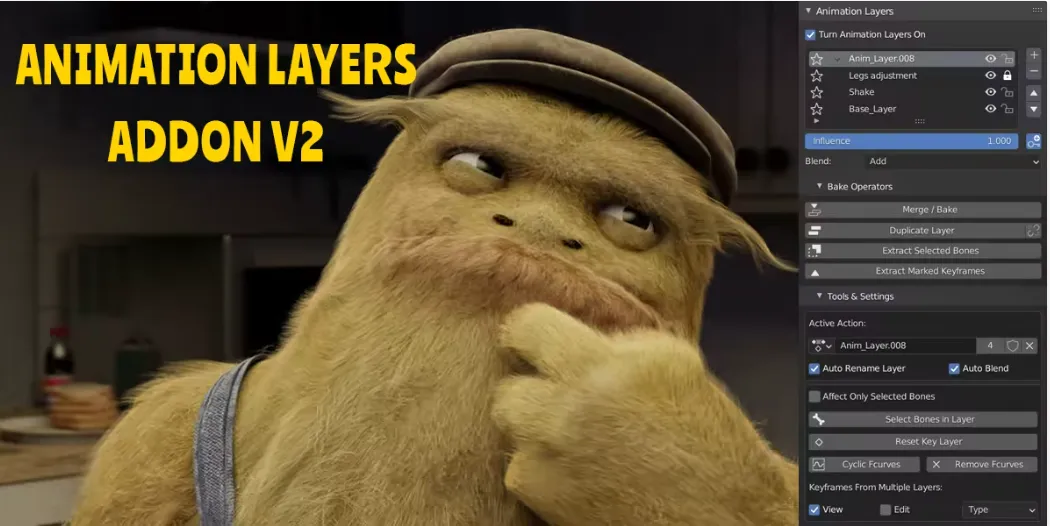
The tool allows you always to see the result of all combined layers while editing any single one. You can adjust influence with simple sliders and blending modes, giving you complete control. Whether you’re editing character movements or complex scene animations, the workflow stays non-destructive and straightforward.
Layer Controls
The interface includes small icons to manage each layer. You can mute layers to see the difference, lock them to prevent accidental edits, or solo one to focus on it alone. Influence sliders allow you to adjust the weight a layer contributes, while blend modes determine how layers interact.
Features
- Create and manage multiple layers with ease.
- Add, remove, and reorder layers in one click.
- Control influence with mute, solo, and blend options.
- Merge or bake layers into a single animation.
- Use Smart Bake to preserve overall keyframes.
- Icons for layer control: add, move, mute, lock, and solo.
- Blend types for a smooth combination of layers.