
Little Snitch v6.5
Little Snitch v6.5 For Mac
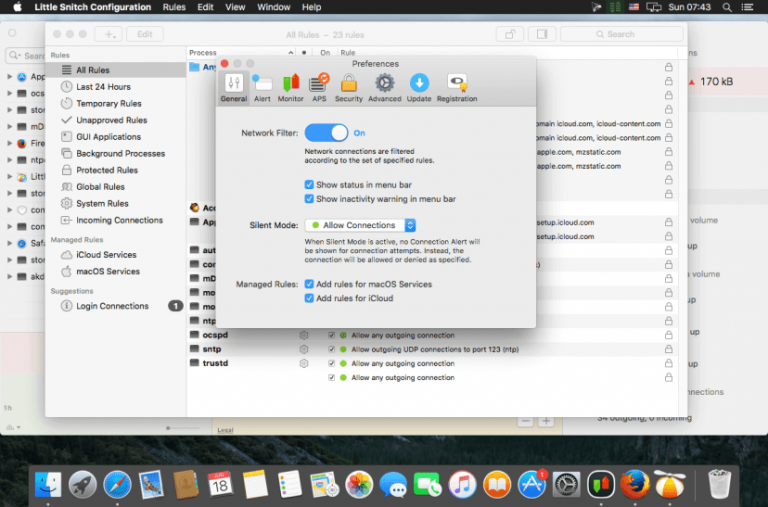
Latest Little Snitch for macOS is a trustworthy and handy program that helps users to monitor network traffic and block various connections in order to protect privacy. It is considered one of the best tools for tracking network traffic. Its installation process does not take long and does not pose any kind of problems, while the interface you come across is quite minimal and clear-cut. After completing the installation, it enables users to analyze bandwidth, connectivity status, traffic totals, detailed traffic history for the past hour and more.
Whenever an app attempts to connect to a server on the Internet, Little Snitch shows a connection alert, allowing user to decide whether to allow or deny the connection. With its impressive Silent Mode, users can silence all notifications for a while, and make all their decisions later, conveniently with just a few clicks, in one go. At the same time, users can also take advantage of the Automatic Profile Switching feature and associate different networks with certain profiles. Once the network is detected, the associate profile is automatically enabled. This feature works tremendously when a user uses the internet from various ISPs. To wrap it up, Little Snitch 5 for macOS is a must-have tool for monitoring and blocking the internet traffic with impressive controls.
Features
- A perfect tool for monitoring and blocking internet traffic
- Gives various controls to monitor and limit the internet traffics
- Provides a powerful tool for analyzing individual data connections
- Has excellent ability to track background activity and block them
- Can figure out quickly why a particular connection was allowed or denied
- Can save a snapshot of the current status of all connections for later analysis
- Discovers processes and servers creating the highest data volume
Technical Details
- Software Name: Little Snitch
- Software File Name: Little-Snitch-v6.5.zip
- File Size: 39 MB
- Developer: Obdev