RAW Converter Ultimate 3.1.1 for Mac
RAW Converter Ultimate 3.1.1 for Mac Free Download
A convenient and effective image format converter, which is mainly used to convert various professional RAW formats and many ordinary images, as well as adjust the image quality and size.
It simplifies the steps and operations of image conversion, making it smaller, faster, and more convenient than other similar software, with powerful features and a user-friendly interface. It supports professional RAW formats from cameras, iPhone devices, and Adobe PS, as well as common formats such as JPG, PNG, GIF, BMP, TIF, and more.
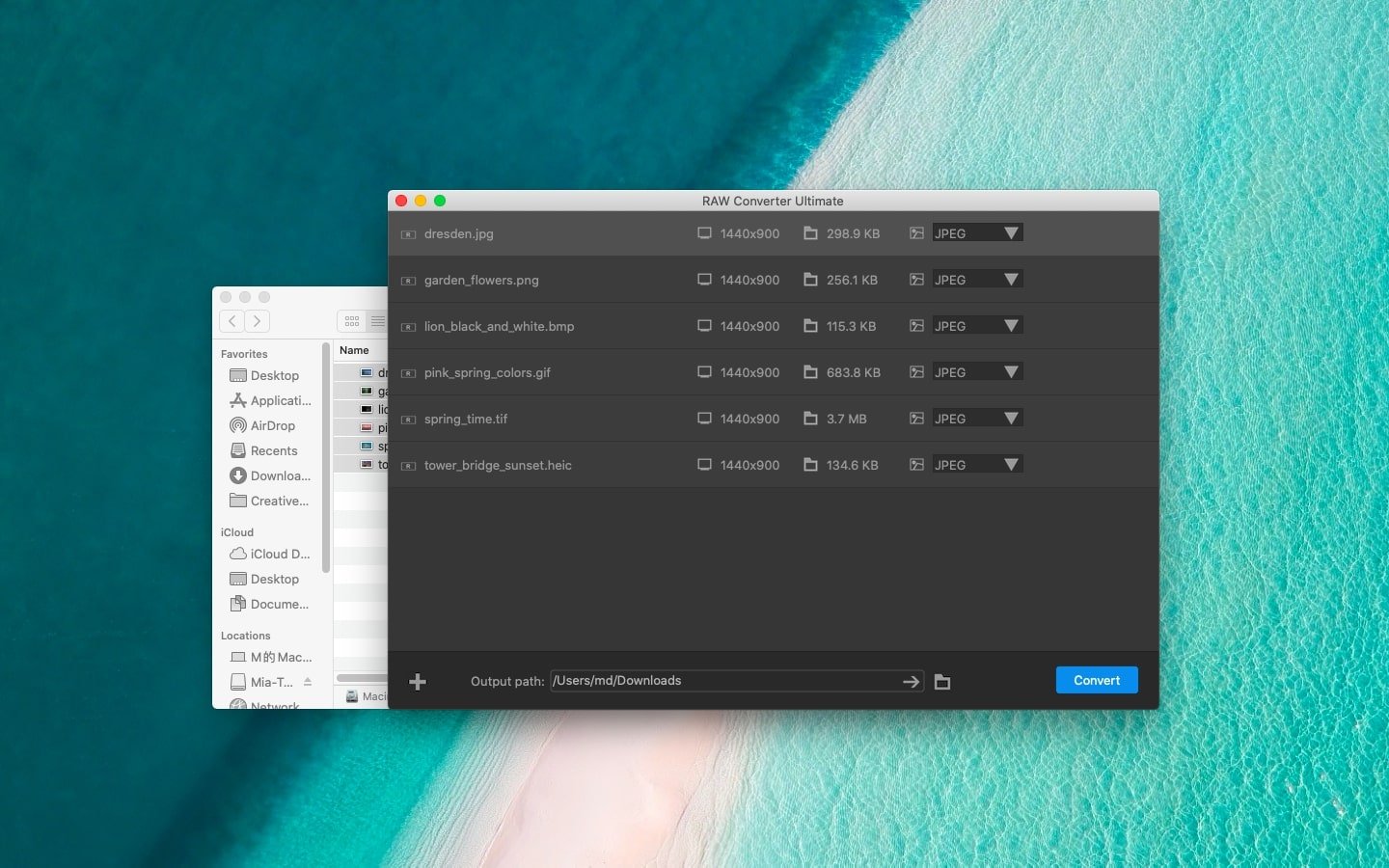
The RAW converter supports drag-and-drop import and clicking the import icon in the lower left corner of the software interface for quick batch import of image files. Users can clearly see the format, pixel values, and size parameters of each image file. It’s simple, without unnecessary function keys, yet meets virtually all user editing needs.
Quickly converting image formats and setting all parameters for all files in batch processing is easy. Users simply need to follow the steps “Import – Set (check, applies to all) – Export” in the simple interface to complete the conversion process.
It’s simple yet powerful, compatible with iPhone and Camera roll image formats, and Photoshop images that can’t be opened with traditional software. RAW Converter handles these image files perfectly.
HEIC to common formats
A proprietary HEIC photo from an iPhone that may not be accessible on other devices unless converted.
Various RAW formats such as Canon’s CR2, Epson’s ERF, Nikon’s NEF or NRW are supported for conversion.
It supports common RAW image formats such as DNG images from Adobe Photoshop software.
How to install and activate?
Mount the image and run Open Gatekeeper friendly.
Press Enter to bypass Gatekeeper in the Terminal window.
Drag the application to the Applications folder.
The application is ready for use.