Pro Mouse for Macos
Pro Mouse for Macos Free Download
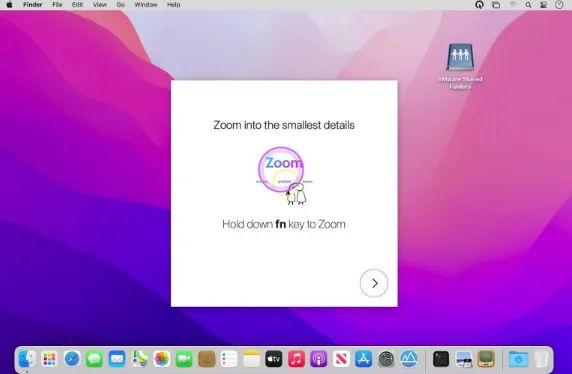
Pro Mouse is a straightforward and easy-to-use software utility that allows you to draw anywhere on your screen with the help of a pencil, lines, circles, boxes, and arrows. This smart program enables you to zoom into the smallest details smoothly. It provides an intuitive user interface so you can find each option with a glimpse of an eye. The aforementioned application allows you to highlight what matters by drawing anywhere exclusively. It allows you to clear your drawings at a click of a button.
With the help of the live-tracking SEARCHLIGHT and ZOOM tool, you can emphasize specific areas on your screen and video. It enables you to customize your pen’s color and thickness in just a few clicks. Pro Mouse allows you to create key combo sets to quickly change your shortcut keys to work better with any app that you are using in the meantime. Lastly, the application works across full-screen apps and multiple displays. To make a long story short, Pro Mouse is a fabulous tool to make your tutorials, presentations, demos, and work stand out.
Features
- An impressive app to set your mouse halo’s color, size, and thickness
- Allows you to works with screen capture apps and conference call
- Got a user-friendly and intuitive interface that makes customization easy
- Ability to make your demos, tutorials, presentations, and work stand out
- Assists your drawing with pencil, lines, circles, boxes, arrows, and more
- Don’t collect and store your data and keeps your privacy private all the time
- Enables you to create key combo sets to quickly change your shortcut keys
Technical Details
- Mac Software Full Name: Pro Mouse for macOS
- Version: 1.10
- Setup App File Name: Pro-Mouse-1.10.dmg
- File Extension: DMG
- Full Application Size: 33 MB
- Setup Type: Offline Installer / Full Standalone Setup DMG Package
- Compatibility Architecture: Apple-Intel Architecture