MultiTrack 1.0.2 for Mac
MultiTrack 1.0.2 for Mac Free Download
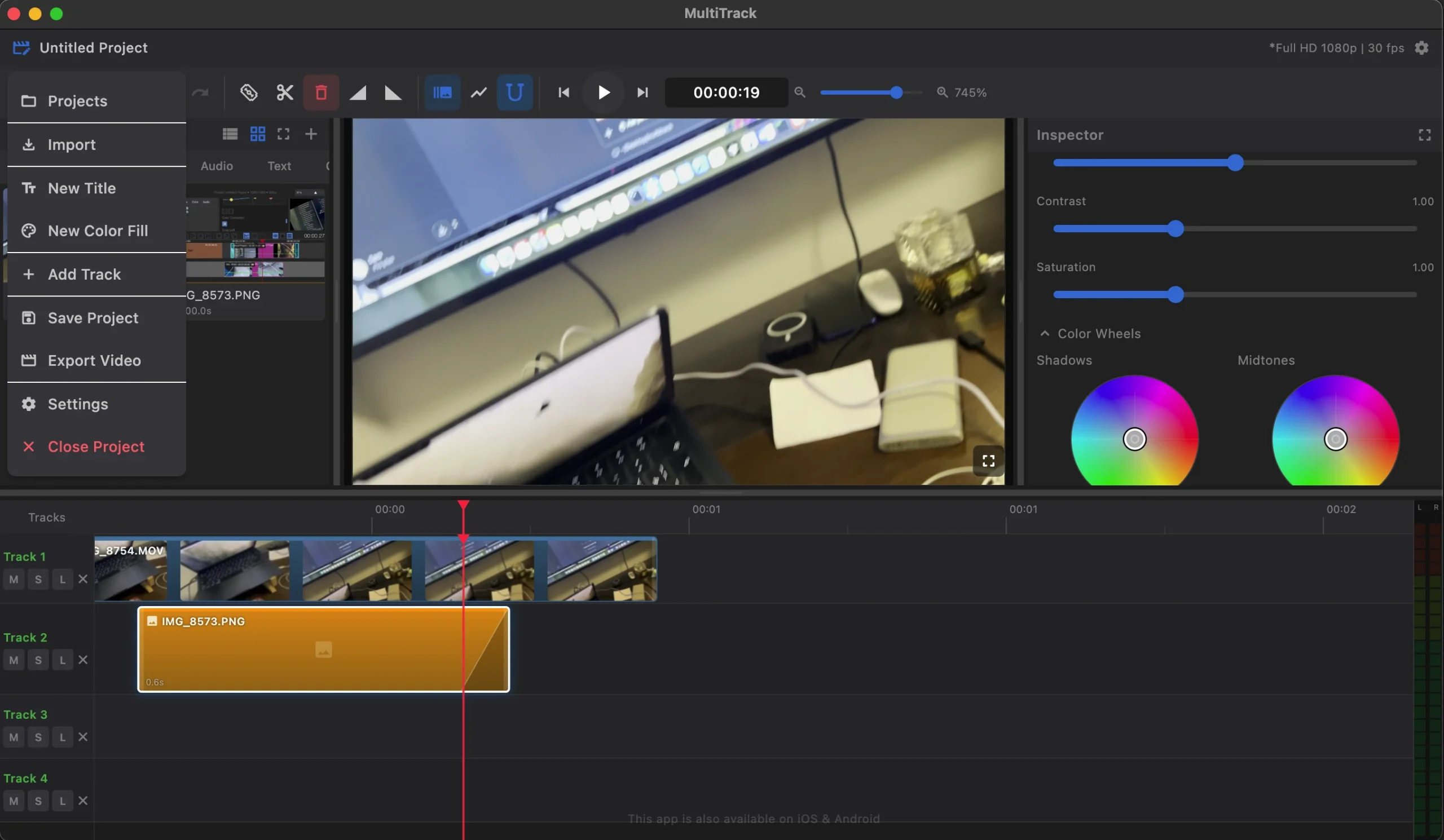
MultiTrack is a multi-track video editor for macOS for those who find the basic tools of simple video editors insufficient. The app offers professional video editing features and a user-friendly interface so you can work quickly and achieve high-quality results right on your Mac.
Multi-track timeline.
Unlike most editors, where all clips are arranged in a single line, MultiTrack provides a full-fledged timeline with an unlimited number of video and audio tracks. Overlay videos, mix music with voiceovers, and build complex scenes from multiple elements.
Precise Editing:
The blade tool cuts a clip at any point with frame-by-frame precision. Magnetic snapping eliminates accidental gaps between clips. Drag clips between tracks and trim their beginnings and ends directly in the timeline.
Visual effects and color correction
Brightness, contrast, saturation, temperature, cropping, transformation (scale, rotation, position), TimeWarp effect (slow down and speed up), smooth transitions Fade In / Fade Out, text inscriptions with font and color customization.
Working with audio:
Independent volume control for each track, audio envelope – draw volume changes directly on the timeline. Import any audio files, and combine all streams during export.
Fast, GPU-accelerated export:
MultiTrack uses native Metal acceleration on macOS. Exporting is streamed, eliminating temporary files on disk—fast and memory-efficient, even for long projects.
How to install and activate?
Run the downloaded image and drag the application to the Applications folder shortcut.
Once copying is complete, the application can be launched via Launchpad.