Multi Rename Tool 2.5.2 for Mac
Multi Rename Tool 2.5.2 for Mac Free Download
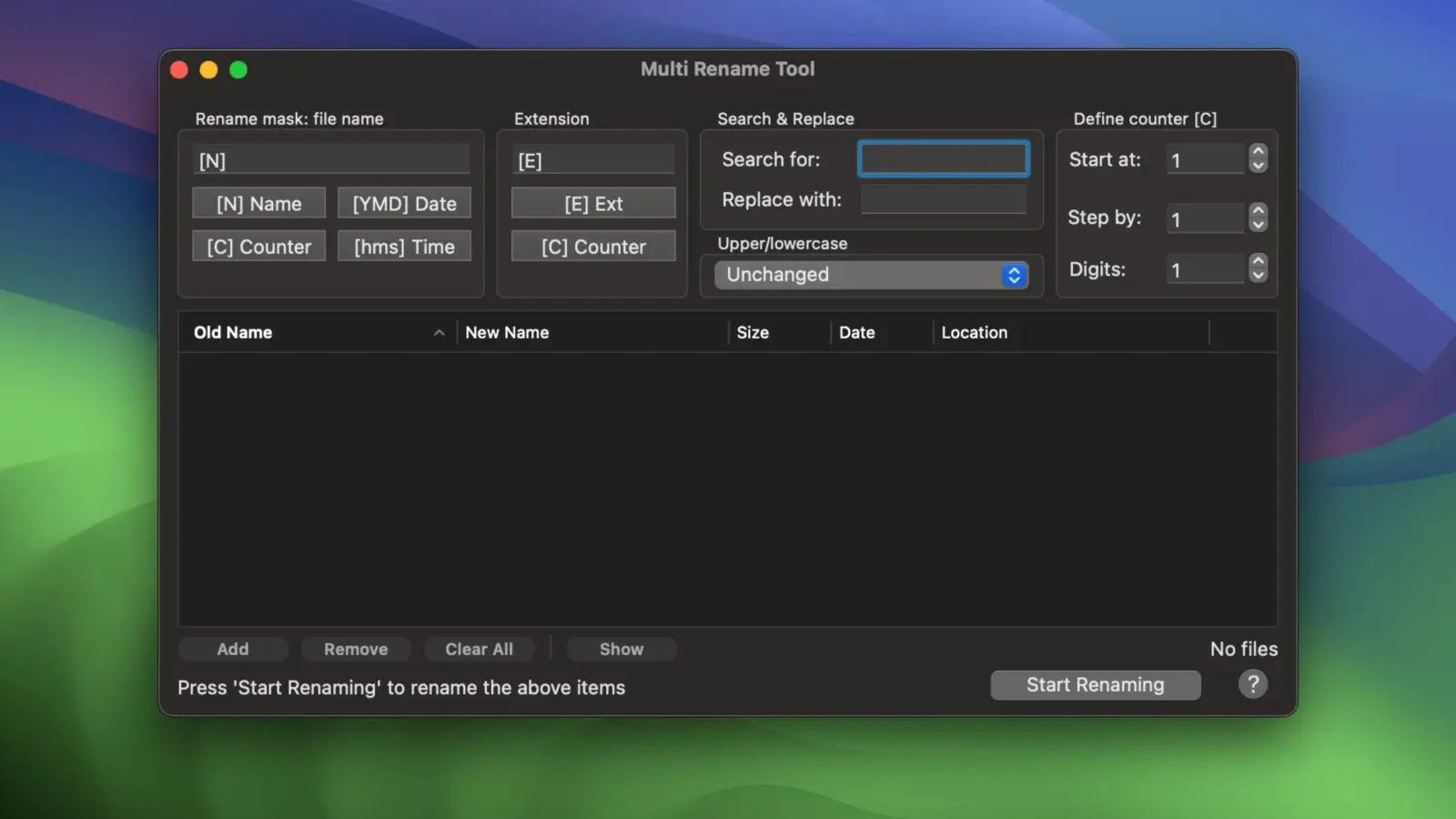
Renaming multiple files is usually time-consuming when done manually. You can do it almost instantly with the intelligent Multi Rename Tool. Imagine renaming 1,000 files almost instantly with a name that includes a counter or date, any prefix or suffix, or even changing specific characters.
Features:
-Easy to use interface
-Real-time preview
-Using tokens to insert dynamic text such as dates or counters
-Partial name tokens to insert part of a name string, for example, typing [N3-7] will insert 4 characters of the name; [N2,5] will insert
-5 characters starting from the second character, [N1] will insert only the first character of the name, [N2-] will insert all characters starting from the second
symbol and until the end of the file name.
-Partial tokens also work with file extensions [E1-3],[E2-],[E2,1],[E3]
– Customizable counter parameters including starting number, step number, and minimum number of digits
-Find and replace text in file names
How to install and activate?
Mount the image and run Open Gatekeeper friendly.
Press Enter to bypass Gatekeeper in the Terminal window.
Drag the application to the Applications folder.
The application is ready for use.