MDB ACCDB Viewer 2.3.1 for Mac
MDB ACCDB Viewer 2.3.1 for Mac Free Download
Open Microsoft Access databases on your Mac – whether they’re in the old MDB or new ACCDB format.
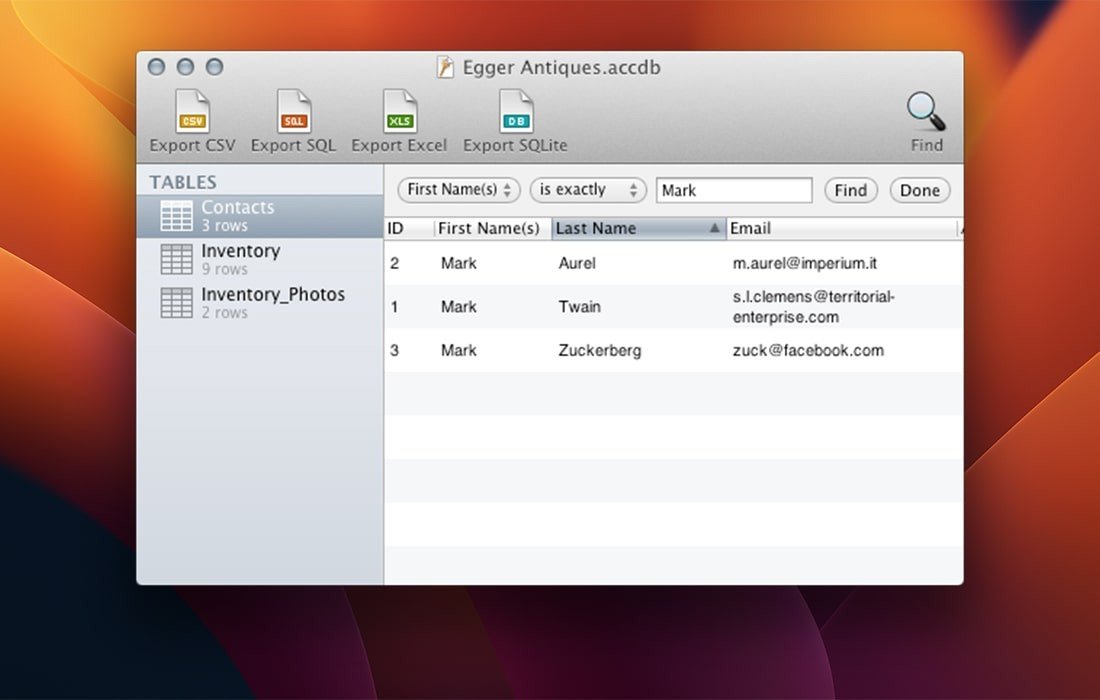
This app makes viewing Access files quick and easy. A convenient search function lets you find what you’re looking for. Double-clicking on a row opens a recording window, ideal for reading long text or viewing images.
MDB Viewer integrates well with other applications: export your database to Excel or CSV files, convert it to SQLite, or create SQL dumps. Since each application has its own unique features, the documentation includes detailed instructions for migrating data to FileMaker, Bento, Excel, Numbers, Open Office, MySQL, PostgreSQL, SQLite, and Address Book.
Although MDB Viewer shows all the data stored in a database, it cannot display forms or queries and cannot modify databases.
MDB Viewer opens Microsoft Access 1997-2013 databases on your Macintosh.
MDB Viewer views and exports all tables in Access databases. (MDB Viewer does not edit databases and does not support queries or forms.)
Comes with search
Sometimes simply sorting a table isn’t enough. MDB Viewer’s high-speed search feature lets you quickly filter rows to display only the ones you’re looking for.
Handles long text elegantly
If a field contains more text than you can comfortably read in the spreadsheet view, simply double-click the row to open a new window, ideal for long text.
Shows all your data
MDB Viewer has extensive support for less common field types, such as OLE objects, hyperlinks, and attachments.
Export to any format
MDB Viewer can export your Access database to virtually anything. Create Excel workbooks, SQLite databases, CSV files, or SQL dumps. Use MDB Viewer to export to Apple Numbers, FileMaker, Bento, OpenOffice, or even your address book.
How to install and activate?
Run the downloaded image and drag the application to the Applications folder shortcut.
Once copying is complete, the application can be launched via Launchpad.