Home Inventory 4.7.0 for Mac
Home Inventory 4.7.0 for Mac Free Download
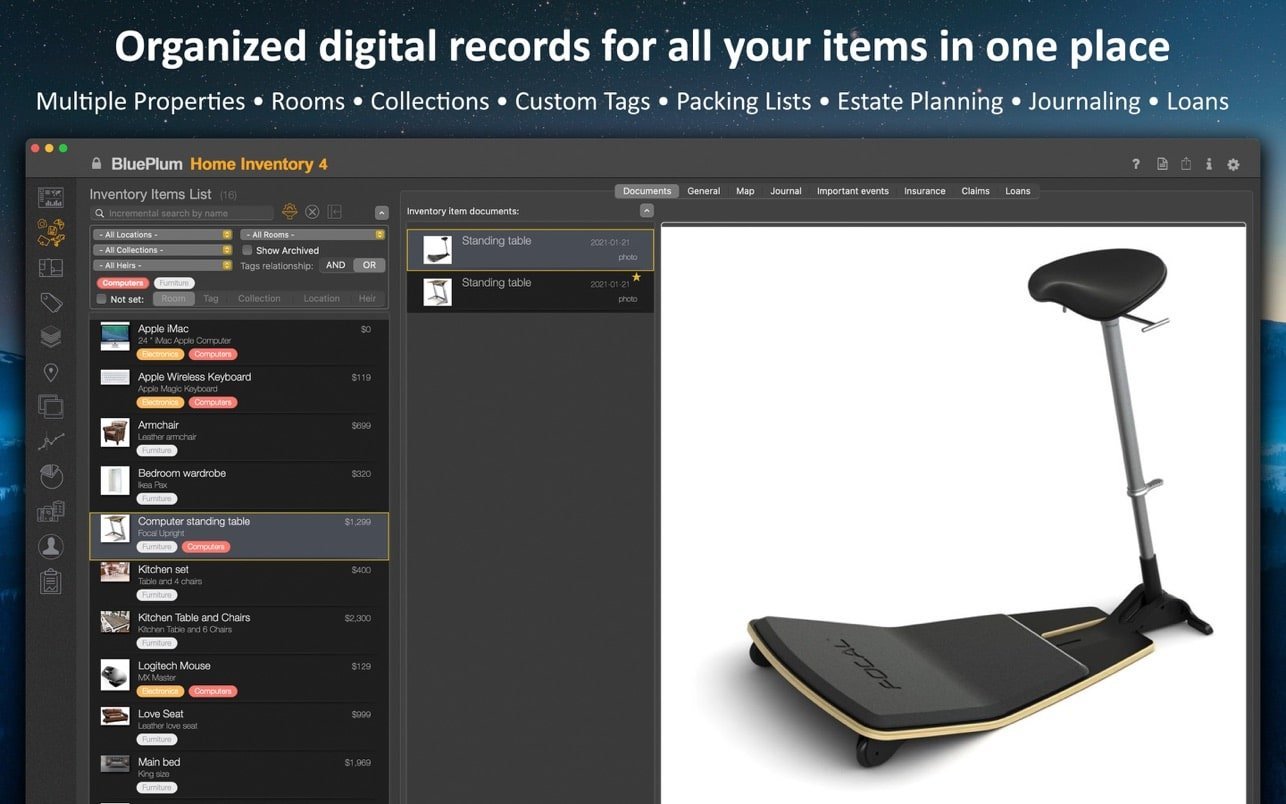
BluePlum Home Inventory is the most comprehensive home inventory app that will help you create and maintain an inventory of any property you own. It allows you to organize your belongings into collections, rooms, locations, and/or assign one or more tags to each item. The software allows you to add photos, videos, receipts, manuals, contracts, and other documents related to your property.
Key Features:
Inventory items
Add all the necessary information related to each item: name, description, year, make, model, serial number, purchase price, annual depreciation, heir, warranties, etc.
Associate items with your properties, rooms, and collections. Add custom tags to organize your items into even more categories.
Mass import
Quickly import photos or other types of documents and create new inventory items from the selected folder
media
Add multiple photos, videos, manuals, or other documents to your items. Display them all in a photo album that allows you to filter and organize them by multiple criteria.
iPhone and iPad
Access photos on your iPhone or iPad directly from the Mac app without using an external iOS app
Magazines
Maintain a maintenance or update log. Record relevant events such as services and taxes.
Events
Schedule one-time or recurring events with additional reminders (maintenance tasks, tax due dates, warranty expirations, etc.)
Packing lists
Moving, traveling, camping – make a few packing lists for every occasion
Items on loan
Track items you lend to your contacts, set return dates, and generate reports
Property management
Add and display additional information related to your property – Property Manager, Zillow
Reports
Multiple report types. Filter by location, room, collection, and tags for each report. Generate reports as PDF files that can be easily viewed, printed, saved, or emailed directly from the app. Generate reports by item list, summary, full, warranty, property, photo album, insurance, or loan. More report types will be continually updated.
Backup recovery
All inventory information is stored on your local computer, but it’s always a good idea to store your home inventory information offsite. Back up all data to a single compressed file. Automatically backup to iCloudDrive.
Cost tracking
You can create periodic value journals (usually on an annual basis) for all items you want to track. Automatically apply suggested depreciation rates. Display and print charts for value journals.
Custom fields
If you miss one or two fields in your inventory, you can define your own (up to 2 numeric and 2 text fields).
How to install and activate?
Run the downloaded image and drag the application to the Applications folder shortcut.
Once copying is complete, the application can be launched via Launchpad.