EaseUS Disk Copy Pro 6.9.0
EaseUS Disk Copy Pro 6.9.0
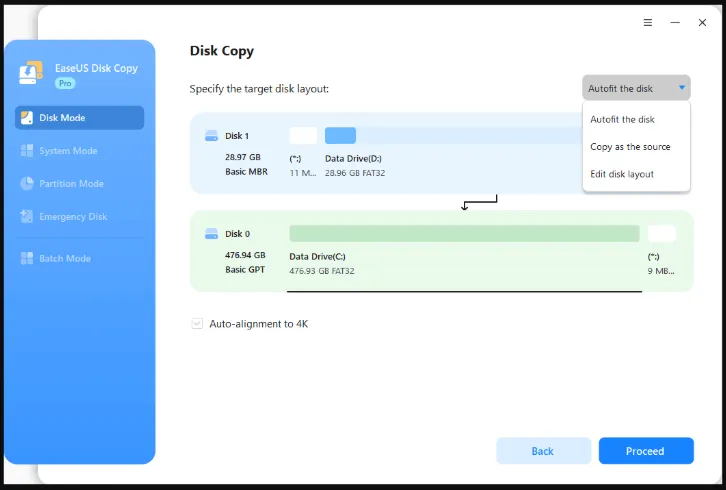
EaseUS Disk Copy allows users to clone data, applications and settings from one hard disk to another. The new hard disk is 100% identical to the original hard disk. This can increasingly reduce the time-consuming process of reinstalling on the new drive. As a professional and comprehensive disk cloning tool, EaseUS Disk Copy can efficiently copy the disks to greatly improve the efficiency of data migration, operating system transfer and hard disk update.
Main features of EaseUS Disk Copy
- 1-click OS migration: Transfer the operating system to a new hard disk.
- Copy sector by sector: create an exactly identical clone of a disk or partition.
- Clone a large data carrier to a smaller one in order to move data to a new SSD.
- Upgrade a small disk to a larger one to improve the performance of the computer.
- Clone the system drive to a new one without reinstalling the operating system.
- Copy hard disk to back up and migrate data.
- Migrate old hard disk to a new SSD.
- Clone UEFI boot (GPT disk).
- Hard disk upgrade without losing data!
- To solve the problem of low storage space on a computer, it is most helpful to replace the current hard disk with a newer and larger HDD/SSD. Cloning a hard disk ensures a smooth upgrade from one hard disk to another, as files, programs and the operating system are transferred unchanged.
Homepage
https://anonymz.com/…www.easeus.com/
| Name: | EaseUS Disk Copy Pro 6.9.0_AIO_No_Account_sadeempc.com.dmg |
|---|---|
| Size: | 1 GB + |
| Files | EaseUS Disk Copy Pro 6.9.0_AIO_No_Account_sadeempc.com.dmg [1 GB +] |