DockShelf 1.5.1 for Mac
DockShelf 1.5.1 for Mac Free Download
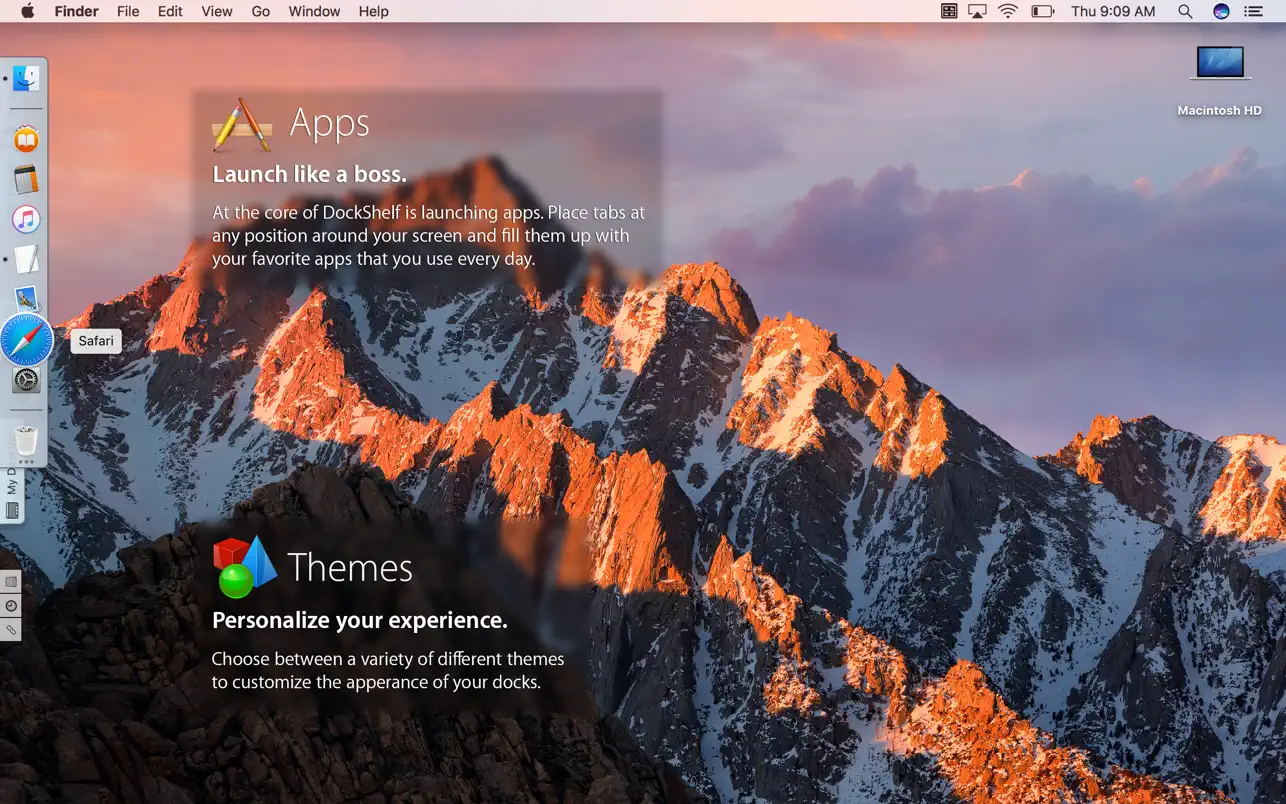
Have you ever wished your Dock could be more functional and handle more applications and files? DockShelf lets you place an unlimited number of docks around your desktop, so you’ll never run out of space for your most frequently used files, folders, and applications!
With DockShelf, launching your essential documents and applications is faster because you control the location of your docks, how many are on your screen, how they are labeled, and when they are visible.
Peculiarities:
Tabs – Displays docks as tabs that can be easily expanded by hovering over them.
Folder View – Navigate folder contents from pop-up windows using different viewing options.
Smart Folders – Add smart folders to your docks that use Spotlight to quickly find files on your Mac, displaying results from the dock.
Stacks – A group containing any number of files that can be viewed using a pop-up window.
Process and devices docks – add special docks that show connected external devices, as well as all processes currently running.
Workspaces – the ability to switch between multiple workspaces depending on the application currently installed.
Never in the way – Hide docks completely or depending on which applications are currently active.
Notes – Add and edit notes directly from the docks using the text editor.
More than just files – launch: links, email messages, calendar events, text clippings and more.
Themes and Customization – The application comes pre-configured with various themes to suit every taste and the ability to customize.
How to install and activate?
Run the downloaded image and drag the application to the Applications folder shortcut.
Once copying is complete, the application can be launched via Launchpad.