DisplayBuddy v3.6.1 for Mac
DisplayBuddy v3.6.1 for Mac Free Download
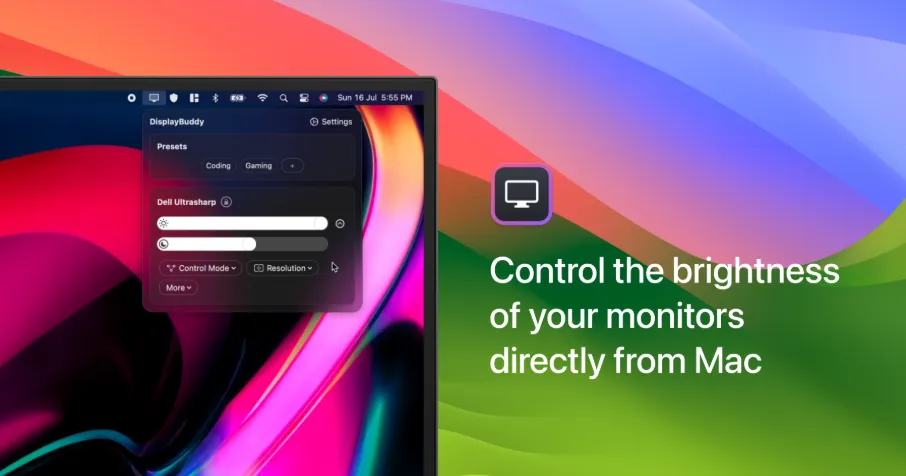
DisplayBuddy is a native macOS utility for controlling external monitors from software brightness, contrast, volume, input source, layout, and more—without reaching for on-screen display menus.
DDC/CI control for compatible displays—sliders, keyboard shortcuts, and menu-bar access
Presets — save and restore multi-monitor settings (resolution, rotation, brightness, input, sync, HDR, True Tone, Night Shift, and more)
Schedules — auto-activate presets by time, sunrise/sunset, charger state, Dark Mode, or app launch
Sync — mirror brightness/contrast across selected displays
Support for Apple displays, Samsung Smart Monitors, Studio Display XDR UltraBright, and selected smart-monitor integrations
CLI & MCP (since 3.3) for automation and agent workflows
Control Center presets, Spotlight/App Intents, and Siri shortcuts (DisplayBuddy 3).
Requirements
Version: 3.6.1
Platform: macOS 12 or later; native Apple Silicon support
Hardware: External monitors with DDC/CI or supported smart-monitor / Apple display integrations (varies by model)
License: one-time purchase from the developer; major updates included; also available via Setapp.
How do I install and activate?
Run the downloaded image and drag the application to the Applications folder shortcut.
Once the copy is complete, you can launch the application from Launchpad.