Clean Media Player 2026.2.8.1
Clean Media Player 2026.2.8.1 Download
If you ever found yourself annoyed by profanity in movies, there’s a high chance that you’d wish for a censored version of these. However, until the director decides on releasing it, you’re left with the choice of either muting the unwanted sequences or manually editing subtitles, if you have the option to do that. And even cutting out video bits… Too complicated.
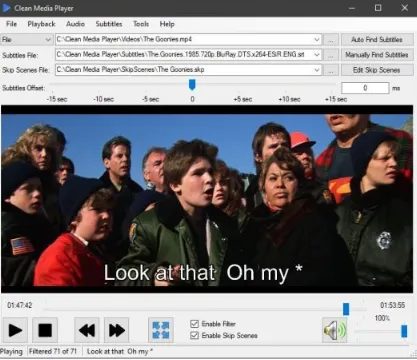
But not if you rely on Clean Media Player. This app, just as its name might suggest, will enable you a far more facile resolution for such issues. It will enable you to apply profanity filter to subtitles, and have the foul bits removed automatically, and even skip scenes, based on timestamps.
Right from the start, I enjoyed the design of Clean Media Player. Not only does it provide an accessible take on adding your video files, but also features decent playback controls and capabilities, and easy toggles for implementing filtering and skip scenes.
One detail worth mentioning is that despite being outside its scope, the app also comes equipped with on-screen controls for setting subtitle offset, both using a slider, as well as manual value input. Nice.