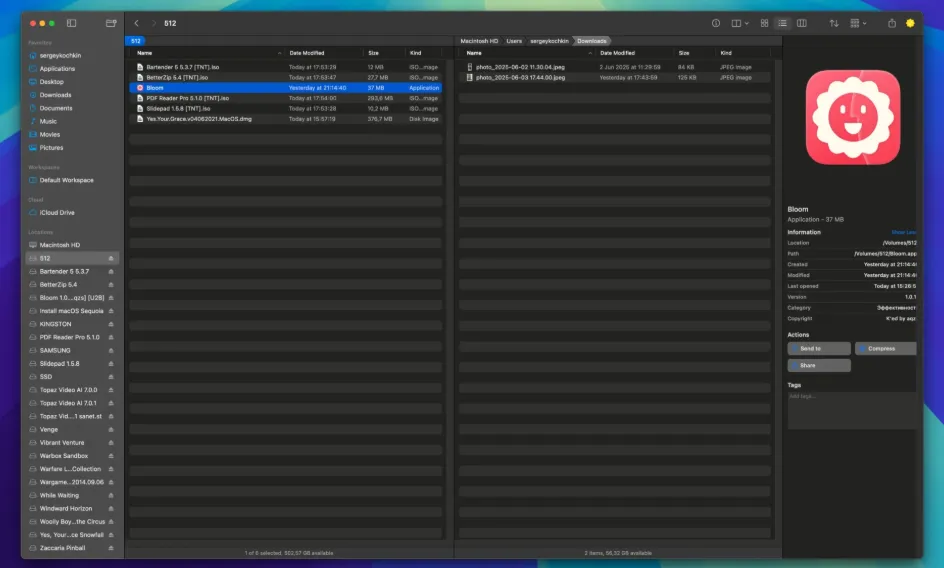
Bloom 1.5.38
Bloom 1.5.38 for Mac
⌘⇧⏎ opens a go-to panel from nearly anywhere on the Mac, turning path jumps and live folder search into habits instead of sidebar digging in Finder.
Path jumps and in-folder search
Press ⌘⇧⏎ from most apps to open Bloom’s navigation panel, type a path, or pick a saved location. Inside a Bloom window, Tab opens the same panel so you rarely chase nested sidebars. ⌘F starts a live search scoped to the current folder; results update as the file system changes, and ⌘R forces a manual rescan when you need a fresh index. Keyword search from the go-to panel scans predefined roots—home by default—and can return matches across tens of thousands of files in seconds according to the vendor.
How do I install and activate?
Run the downloaded image and drag the application to the Applications folder shortcut.
Once the copy is complete, you can launch the application from Launchpad.
Compatibility
macOS 14 and later