AutoHotkey 2.0.21
AutoHotkey 2.0.21 Free Download
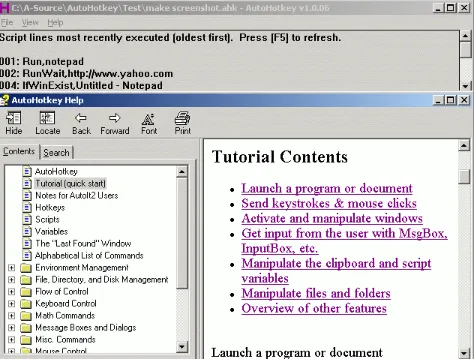
Customize your keyboard, joystick, and mouse with an open source scripting language (AutoHotkey) that is backward compatible with AutoIt v2. AutoHotkey it includes a quick-start tutorial, an automatic script writer (macro recorder) that records your keystrokes and mouse clicks, and a comprehensive help file.
Automate almost anything: Send keystrokes & mouse clicks; launch programs / documents; work with the clipboard, registry, & soundcard settings. In addition to its automation features described below, AutoHotkey excels at hotkeys, able to make virtually any mouse/joystick button, keyboard key, or combination into a hotkey. AutoHotkey it can also individually disable or override Windows’ own shortcut keys, such as Win+E and Win+R. It may also help alleviate RSI; for example, it can create substitutes for Alt-Tab using keys, mouse wheel, or buttons.
Features
Change the volume, mute, and other settings of any soundcard.
Make any window transparent, always-on-top, or alter its shape.
Use a joystick or keyboard as a mouse.
Monitor your system. For example, close unwanted windows the moment they appear.
Retrieve and change the clipboard’s contents, including file names copied from an Explorer window.
Disable or override Windows’ own shortcut keys such as Win+E and Win+R.
Alleviate RSI with substitutes for Alt-Tab (using keys, mouse wheel, or buttons).
Customize the tray icon menu with your own icon, tooltip, menu items, and submenus.
Display dialog boxes, tooltips, balloon tips, and popup menus to interact with the user.
Perform scripted actions in response to system shutdown or logoff.
Detect how long the user has been idle. For example, run CPU intensive tasks only when the user is away.