Pastebot 3.1.1
Pastebot 3.1.1 for Mac
Tapbots’ clipboard manager for macOS 26 that keeps what you copy, then lets you search, filter, and paste it from a system-wide menu.
History under Shift-Command-V
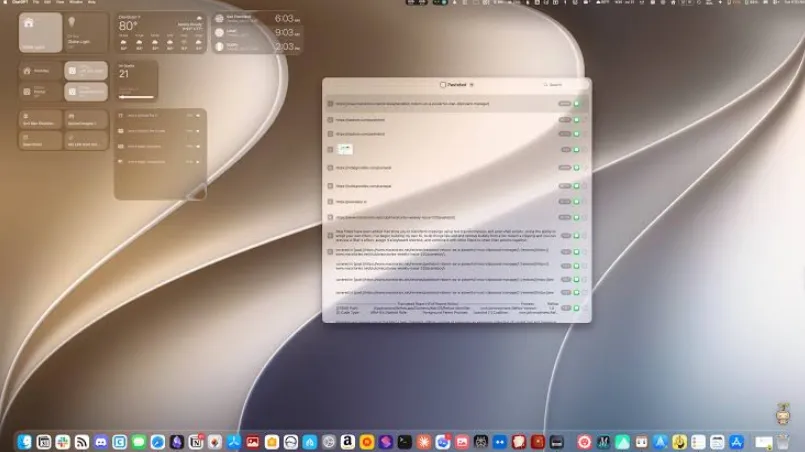
While it is running, copies land in a searchable history. Open the quick paste menu from any app with Shift-Command-V, type a few characters, and hit a number key to paste one of the last ten items. Spacebar opens a resizable preview that follows the selection useful when the clipping is an image rather than a line of text. You can add your own notes to a clipping so later searches find it by meaning, not only by the copied string.
Apps you do not want logged go on the blacklist: block an app entirely, or ignore only images, text, or shortcuts. That is the practical way to keep password managers and other noisy sources out of the history. A cheatsheet window stays open if you are still learning the keystrokes.
Pastebins, filters, and sequential stacks
Custom Pastebins hold clippings you want forever, each with a color and an icon or emoji. Smart Pastebins fill themselves from rules type, size, extension, date, text, length, and similar fields can be combined so, for example, links copied from Safari sit in one bin. Filters run before paste: stack base transforms, assign a shortcut, and watch the preview update while you edit the filter. Stacks are a separate queue: press the right arrow on a clipping or copy while the stack window is open then paste the queue in order with Control-Command-V or your own hotkey.
iCloud Sync optionally copies clippings, pastebins, and filters between Macs. Universal Clipboard, when it is on, imports iPhone copies into Pastebot and lets you paste a stored clipping back to the phone. Apple Shortcuts and the bundled pastebot-tool CLI inside the app bundle cover scripted gets and puts.
Tahoe floor and two ways to pay
Tapbots requires macOS 26 Tahoe or later; the Mac App Store listing currently states 26.2. Both storefronts include a 14-day trial. Direct purchase is $39 and includes one year of updates; another year is $19, and you keep the last build you paid for. A Pastebot 2 license key knocks $12.99 off at checkout, with a 30-day refund on direct sales. The App Store build is a subscription—$2.99 a month or $24.99 a year with Family Sharing and no license key. Built-in macOS clipboard still holds one item; this is for people who need history, filters, and bins. Version 3.1.1 is the current 3.x direct build of that Tahoe Pastebot 3.