Shot Designer 1.80.8 for Mac
Shot Designer 1.80.8 for Mac Free Download
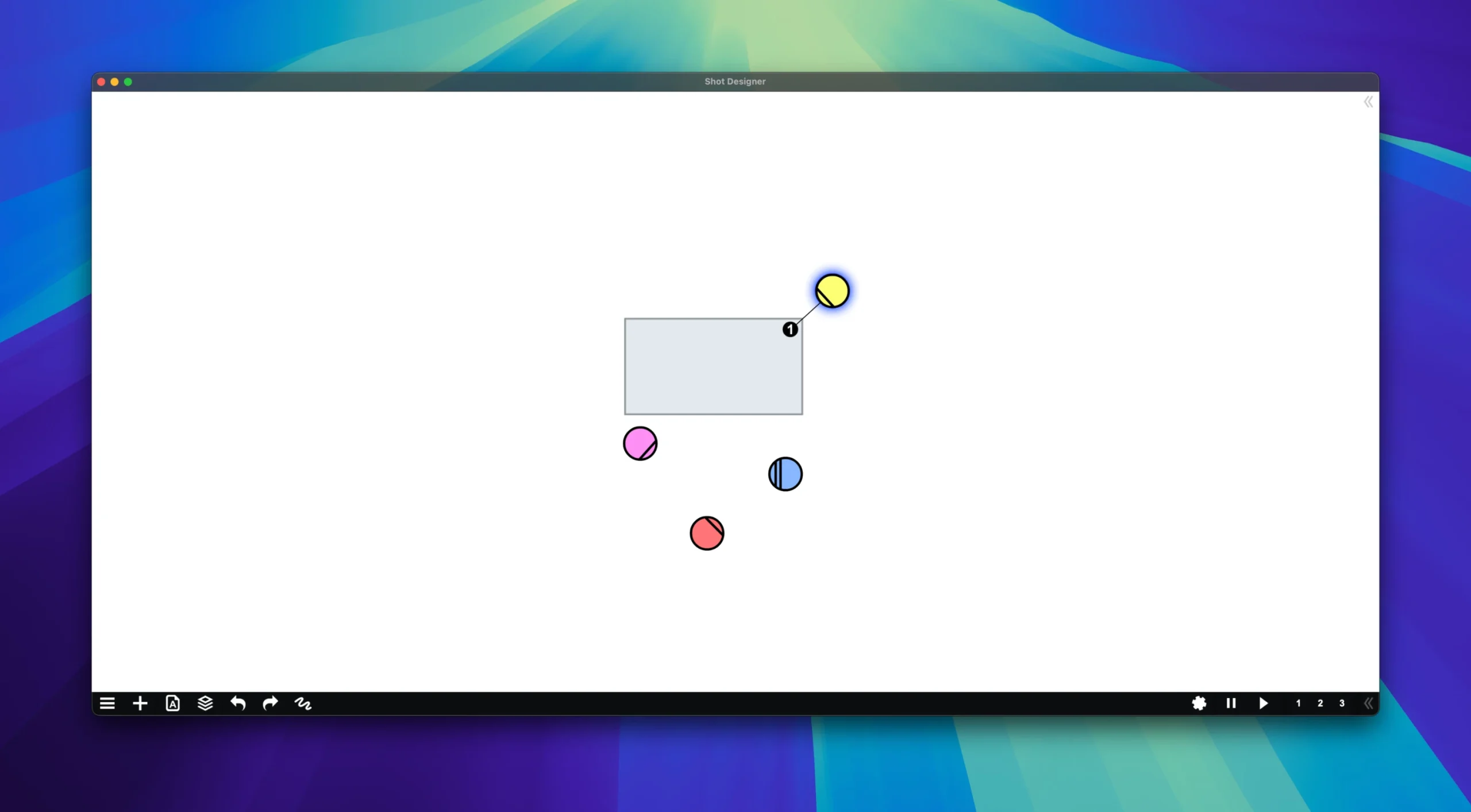
Shot Designer is the industry standard for planning shots and camera positions in film production. The app allows directors and cinematographers to quickly and efficiently create complex scenes with camera diagrams, animation, shot lists, storyboards, and a professional viewfinder.
Key Features:
🎬 Automatic Camera Diagram
• Instantly create camera diagrams
• Smart system automatically moves cameras when actors move
• Speed allows you to use the application even when actors are waiting
📋 Integrated shot list
• Automatically generates a shot list as you work
• All changes in the diagram automatically update the shot list and vice versa
• Intuitively edit shots directly in the diagram, not in the table
🎥 Real-time animation
• Animate the movement of characters and cameras on the diagram
• Pre-visualize the rhythm of the scene
• Quick animation in seconds with the possibility of flexible changes
📐 Storyboard in a diagram
• Visualize camera angles directly in the diagram
• Ability to draw keyframes for storytelling
• A free and fun approach instead of a full-fledged storyboard
🔍 Professional director’s viewfinder
• Integrated viewfinder for replacing a storyboard
• Ideal tool for location scouting
• Support for all major camera formats with precise lens locking
🏗️ Additional Tools
• Set Designer – Create set plans
• Lighting Designer – A tool for cinematographers with lighting symbols (courtesy of Ari Golan of Atomic Imaging Studios Chicago)
• Import production drawings as backgrounds
• Pre-made templates of standard camera setups
• Create your own templates
• Large and growing library of props and furniture
• Scene Freeze – Create scene snapshots for experimentation
• Export to PDF/JPG/Excel
• Unlimited folder structure for organizing scenes
How to install and activate?
Run the downloaded image and drag the application to the Applications folder shortcut.
Once copying is complete, the application can be launched via Launchpad.