Password Repository 4.3 For MacOS
Password Repository 4.3 For Mac Free Download
Password Repository is a password manager to keep all your passwords and all the related data in a safe way on macOS and iOS.
Featured
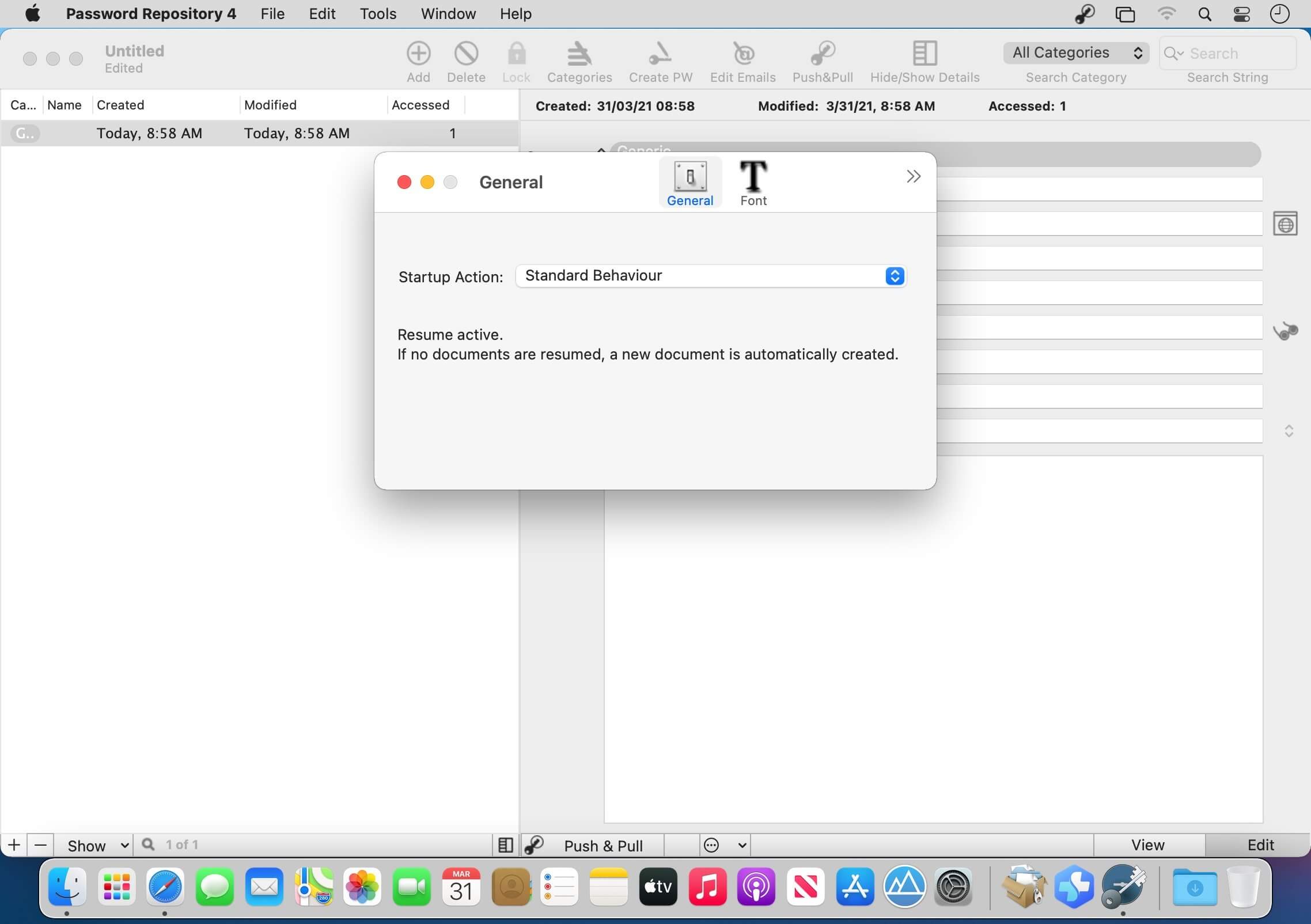
- Selectable startup document opened by default running the application
- Fully compatible with older versions
- Fast, safe and stable because it’s all macOS native since first release.
- Categories inside the document with color labels that you can customize to properly organize the passwords.
- Color categories to browse your passwords with an immediate subdivision of your data ‘by color’.
- Visualization for any record of ‘creation data’, ‘modification data’ and ‘usage time’
- All the records can be sorted, arranged, filtered and displayed as you like in a click.
- Always available search by category or content or combined
- Fully customization of the master table, the user can visualize only selected columns.
- Full support of undo adding and removing records and categories.
- Push and Pull to use userId/password on the web or other applications without plug-in or additional software that can introduce complexity and security/compatibility problems.
- Data can be copied with a single click and you receive a feedback of the copy by a HUD popping up on the screen
- Password generator inside to create new password in the format you need (multiple formats available).
- Data exchange with other apps. You can import from CSV, TSV, CSV-S (also from windows format) and export to CSV, TSV, CSV-S, html, and custom format (where you define elements)
- Windows remember size and position after re-launches
- For data security you can’t modify data in the document without switching in edit mode
- Data interchange with iPhone and iPad. Any document created with Password Repository 4 on a Mac, can be transferred via iTunes and used on iOS without any changes
- Document can be auto locked after a specified time of inactivity in background
- Optimized for the latest macOS release 10.14 Mojave and can run on any Mac with macOS 10.10 and successive
- Runs perfectly under both Light Appearance Mode and Dark Appearance Mode
- Includes a full User Guide in PDF