Morpholder 1.0.6 for Mac
Morpholder 1.0.6 for Mac Free Download
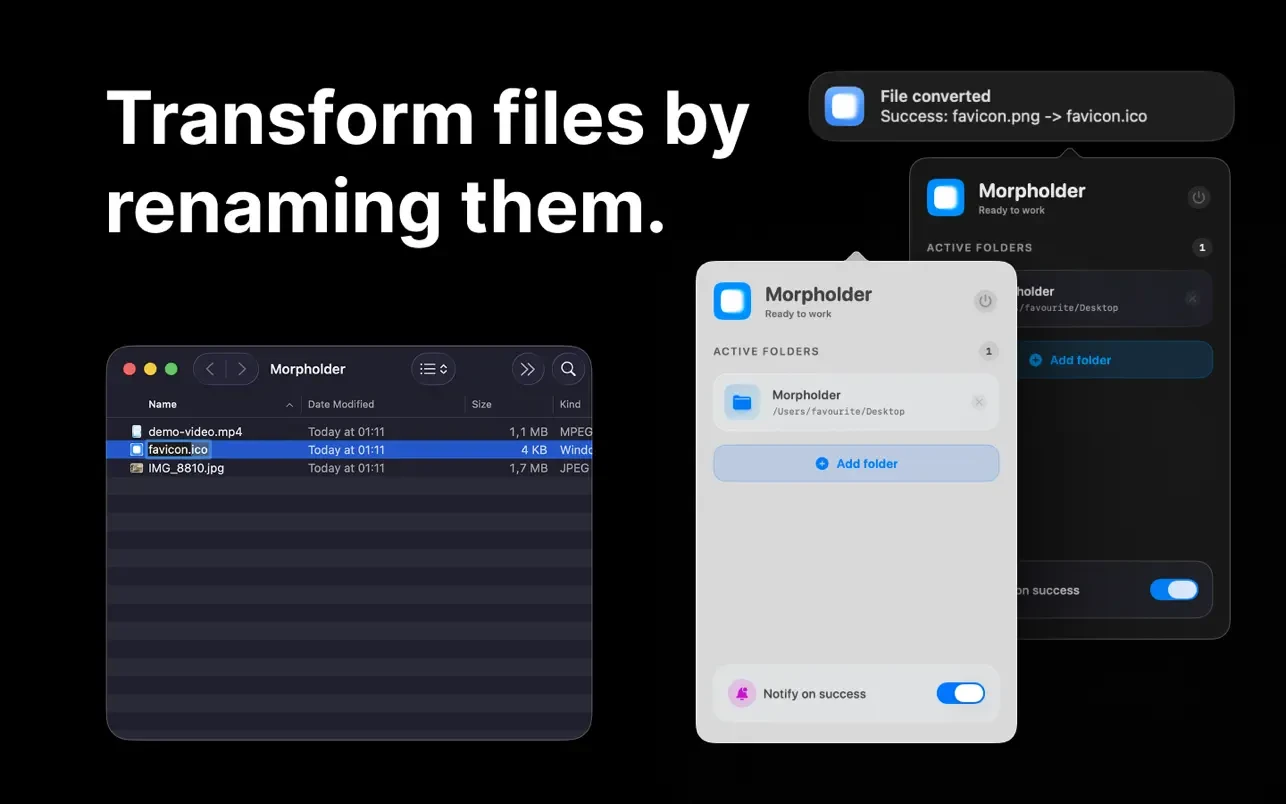
Morpholder is a minimalist app that turns file renaming into instant file conversion. Instead of opening cumbersome converters, selecting formats, and clicking “Save,” you simply change the file extension in Finder.
How does this work:
• Add folders – select the folders that Morpholder will monitor.
• Rename any file – just change its extension in Finder (for example, from .mov to .mp3 or from .heic to .jpg).
• Instant conversion – Morpholder intercepts the change and silently converts the file in the background.
Supported formats:
• Images .webp, .heic, .ico, .png, .jpg, .gif, .tiff, .bmp, .svg, .icns, .avif, .psd, .arw, .dng, .nef and many others
• Videos .webm, .mp4, .mov, .gif, .m4v, .mkv, .avi, .flv, .ts, .3gp, .mpeg, .wmv, .mxf
• Audio .mp3, .wav, .m4a, .aac, .aiff, .flac, .ogg, .opus, .wma, .alac, as well as extract audio from any video
• Documents .txt, .pdf, .json, .xml, .yaml, .toml, as well as text recognition (OCR) from images
• Archives .zip, .dmg, .7z, .tar.gz, .bz2, .xz
How to install and activate?
Run the downloaded image and drag the application to the Applications folder shortcut.
Once copying is complete, the application can be launched via Launchpad.