mcPlanner 4.1.2 For Mac
mcPlanner 4.1.2 Free Download
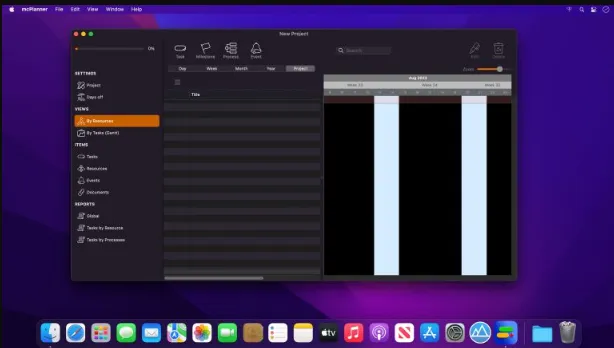
mcPlanner is a software that helps you in project management with Gantt Charts. It has a user-friendly interface that gives you fast access to all built-in design tools to create Gantt charts with an appealing look. You can create dependencies or relationships between tasks and it is as easy as drawing a link between tasks on the Gantt view. mcPlanner is designed to manage resources, you can assign tasks to resources and enter any type of resource human or material. The power of the iCloud sync service is amazing to stay updated between multiple Mac computers and it is managed by Apple and FREE to use.
mcPlanner enables you to create tasks and subtasks with multiple options. You can assign colors to tasks, milestones, and even dependencies. It is compatible with MS Project XML format and you can export quickly share a project in PDF format. You can also display and share reports in mcPlanner via email. You can assign a fixed cost or a cost related to a resource and you can even assign a budget to your project. Taking everything in consideration, mcPlanner is the perfect app for project management because it gives you wider information about the task which increases productivity.
Features
- A powerful and easy-to-use app for project management
- Features a lightning-fast interface with all controls at your fingertips
- A perfect app for project management with Gantt charts.
- Can handle any type of project and is used by people in all fields
- Designed to manage resources in parallel with tasks
- Create dependencies or relationships between tasks
- Sync between multiple Mac devices using iCloud
- Enables you to create tasks and subtasks with multiple options
- Assign colors to tasks, milestones, and even dependencies
- Compatible to be used in MS Project XML format
- Allows you to export and share a project in PDF format
Technical Details
- Mac Software Full Name: mcPlanner for macOS
- Version: 4.1.2
- Setup App File Name: mcPlanner-4.1.2.dmg
- File Extension: DMG
- Full Application Size: 15 MB
- Setup Type: Offline Installer / Full Standalone Setup DMG Package
- Compatibility Architecture: Apple-Intel Architecture