Keep It 2.8.5 for Mac
Keep It 2.8.5 for Mac Free Download
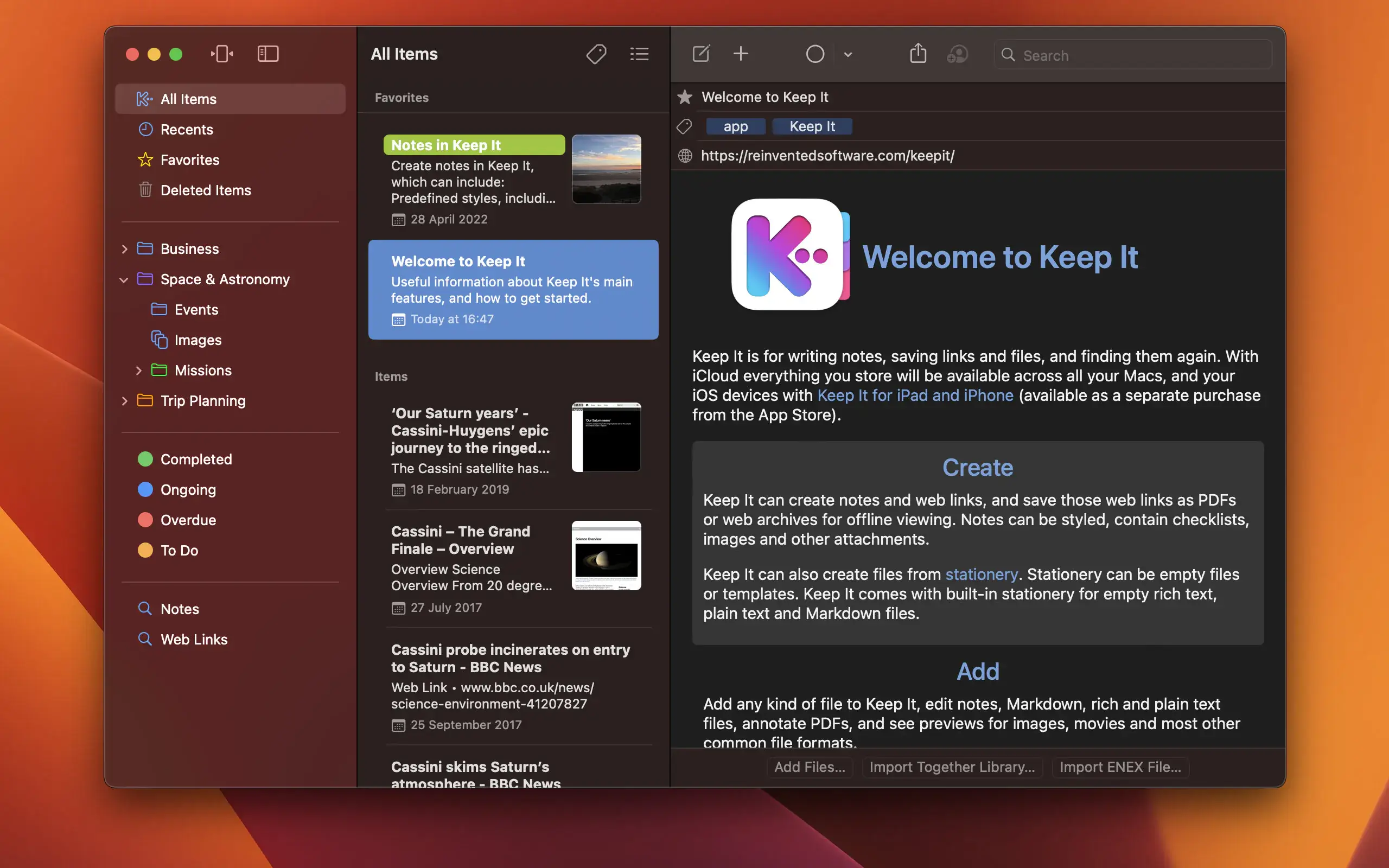
Keep It is a notebook, scrapbook, and organizer perfect for jotting down notes, storing web links, storing documents, images, or any files and finding them later. Available on Mac and as a standalone app for iPhone and iPad, Keep It is designed for all those things you want to put somewhere, confident you’ll find them later.
Take notes
Create notes with built-in styles that look great and are easy to read on all your devices. Notes can contain checklists, bulleted and numbered lists, links, dividers, images, and other attachments.
Add something
Any file can be added to Keep It directly, saved to one of its folders in Finder, or created from stationery and opened for editing in other applications. Any item can be password-protected.
Save web links
Save web links in Keep It, view them in the app, open them in your browser, save them as PDFs or web archives for offline reading, or convert them into editable notes.
Preview and Editing
Keep It can edit your own notes, rich text, plain text, and Markdown files, add highlights and notes to PDFs, and display previews of images, web pages, and most other documents.
Everywhere
Keep It can store all your data in iCloud and make it available on all your Mac computers, as well as your iPad and iPhone, with Keep It for iPad and iPhone.
Share folders and items
Keep It can share top-level folders and individual items with other Keep It users via iCloud. Participants will see all changes automatically.
Compact mode
In compact mode, Keep It for Mac becomes a standalone column, perfect for using alongside other apps or in split-screen mode.
Search integration
Keep It stores everything you add as files, folders, and tags, which you see in Finder. Thanks to Finder integration, you can add, rename, move, and delete files and folders in Finder and see the changes reflected in Keep It.
Works with other applications
You can drag and drop almost anything into Keep It, and you can also add things from different apps with Keep It’s Share extension.
System integration
Files you add to Keep It can be searched using Spotlight, backed up using Time Machine, and opened in any suitable editing app. Tasks in Keep It can be automated using AppleScript and the Shortcuts app.
Folders
Folders allow you to organize items and packages hierarchically when needed. Select a folder to see everything it contains, and double-click to focus the sidebar on that folder.
Labels
Use labels to color-code elements for quick visual recognition. Labels are listed in the sidebar, so you can quickly see everything with a specific label.
Packages
When you need to gather things in one place, create a bundle. Items can be in multiple bags at once, and when you remove a bundle, everything else stays in place.
More lists
Use the Recent list to see what you’ve added or viewed recently, with the most recent items displayed at the top. Favorites provide quick access. Deleted items are automatically deleted after 30 days.
Search
Keep It can search the contents of most files and recognize text in scanned PDFs and images. Suggestions appear as you type, allowing you to narrow your search results to what you need. Save your search results for future reference.
Tag filter
Keep It’s Tag Filter makes it easy to find things by tag and works with both search and selected lists. Select a tag to see all tagged items and any other matching tags; select another tag to drill down further.
How to install and activate?
Mount the image and run Open Gatekeeper friendly.
Press Enter to bypass Gatekeeper in the Terminal window.
Drag the application to the Applications folder.