Disk Map 2.81 for Mac
Disk Map 2.81 for Mac Free Download
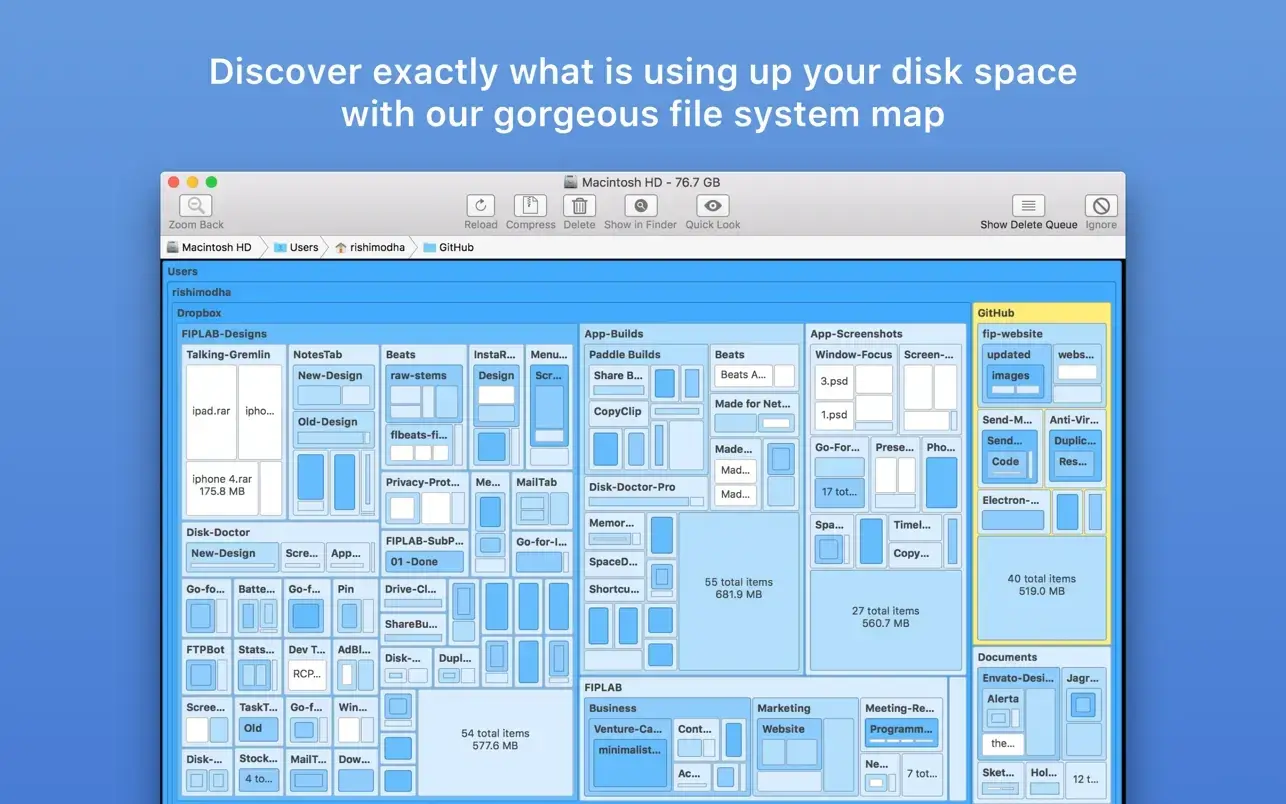
Disk Map makes it easy to visualize the files and folders cluttering up all your internal and external drives. It lets you quickly find, delete, or compress large files and folders, freeing up tons of valuable space.
The app quickly scans your drives and creates a stunning visual map of the files and folders on your hard drive, allowing you to easily navigate the file system and identify what’s taking up the most space. You’ll be surprised how easily you can find large files and folders you never knew existed or had forgotten about!
Features:
– Stunning retina-optimized user interface design
– Support for scanning internal and external hard drives (including selected folders on these drives)
– Zoom in/out of folders
– Opening files/folders in Finder
– Support quick viewing
– Five beautiful and pleasant map color schemes to choose from
– Ignore the specified file and folder formats
– Specify the minimum file size for scanning
– Compress files with one click
– Delete items to the trash or permanently according to your requirements
– Hide/show system and hidden files through application settings
– Click the Reload button to refresh the folders without having to perform a new scan
How to install and activate?
Mount the image and launch Open Gatekeeper Friendly.
Press Enter to bypass Gatekeeper in the Terminal window.
Drag the application to the Applications folder.
The application is ready to use.