Madrona Labs Sumu v1.1.1 macOS
Madrona Labs Sumu v1.1.1 macOS
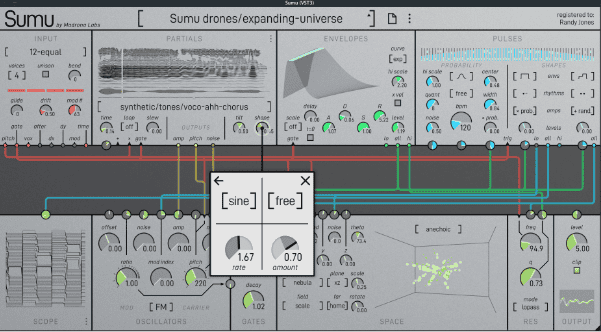
Sumu Mac breaks completely new ground in software synthesis, combining additive resynthesis with FM and vector field spatialization. Its collection of ten modules, designed around a unique multi-channel patcher, offer musical possibilities not found in any other instrument.
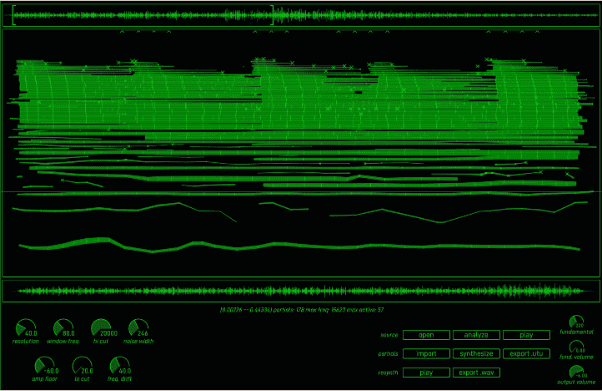
In Sumu, sampled sounds are represented as collections of up to 64 bandwidth-enhanced partials, each with a frequency, volume, and noisiness that can change over time. This representation of sound makes all kinds of creative changes possible, from natural-sounding time stretching to exotic timbral manipulations. Using the central multi-channel patcher, each partial in a sound can be manipulated independently in a way that feels more like playing than programming. Pick a few harmonics and frequency-modulate them? No problem. Delay each partial according to its frequency? Sure.
Madrona Labs Sumu v1.1.1 macOS enables precise and careful changes in space and time, or wild chaotic ones. Take a sample, choose a few partials, and place them somewhere else in the sound field. Or explode everything and stir it into a whirlwind of doppler shifted chorus as each partial zooms around on its own path.
When you first install the plugin, it will run in demo mode. This means that a gentle reminder sound plays every minute or so, and saving patches is disabled. When you register the plugin, these restrictions are removed.
To update your plugin, just download and run the latest installer above. The latest version will always be right here and updating won’t affect your registration
And then a stream comes burbling through, and as we listen, the individual droplets are gradually nudged into line to make a quantized rhythm. The pulses module in Sumu is a rich modulator for resynthesis, or a source of complex sounds all on its own. It offers smooth transitions between rhythm and noise, organic and synthetic.
This new feature is made available in a new dedicated MPE mode with new menus for the protocol [MIDI / MPE] and for the MPE bend range. Alongside this, Madrona Labs also enhanced the engine and features in Sumu 1.1, including many bug fixes.
Looks good, too
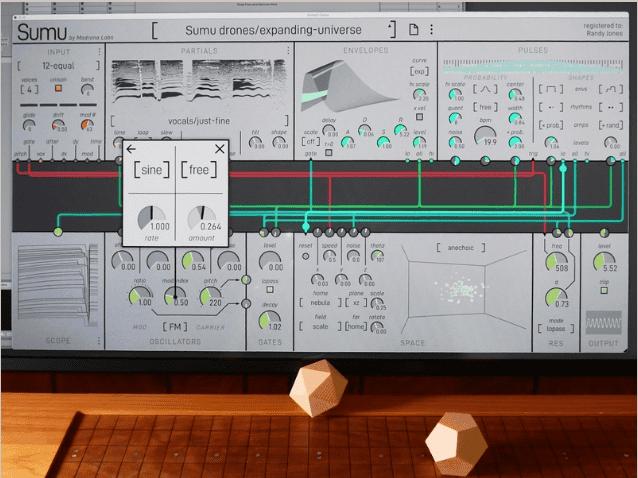
While the patcher keeps things simple on the surface, each patch cord has 64 independent channels in it. That’s a lot of data. So Sumu has different ways to visualize that data, including the space module, which presents a 3d view of each partial’s location, and a 64-channel scope with bar graph and horizontal wave modes.
There’s no visual fluff here: everything has a purpose. True, some of the modules have a lot of blinking lights and are fun to look at. But that’s a result of them being the best real-time visualizations of the sound data we could think of. For example, the space module shows you where each partial of each voice is positioned, 60 times a second (your DAW and computer permitting). What you see is what you hear.
These include:
- GUI: fix scrolling after setting default in popup dials and fix missing update bug when pasting registration
- OSC: fix zipper noise in AM mod index
- AU wrapper: fix Obj-C namespace collisions
- Fix UI scale bug with multiple displays of different scales
- Allow slower LFO times
- Increase LFO popup dials’ precision
- Adjust text position for negative numbers in Dials
- Increase pulse ratio dial precision
- Fix slow LFO sync
- Improve host clock sync
- Reset pulses hi scale offsets when adjusting past zero
- Fixed issue loading the state saved by the beta version
- Added MIDI learn for dials via pop-up menu
- Added main […] menu with GUI and input settings
- GUI: added numbers on/off menu and scroll normal/reverse menu
Whats new in this version
Official site does not provide any info about changes in this version.
System Requirements
Mac versions of Sumu require OS X 10.14 (Mojave) or higher. Sumu runs natively on both Intel-compatible and Apple Silicon processors.