
Color Folder Pro 5.5
Color Folder Pro 5.5 for Mac
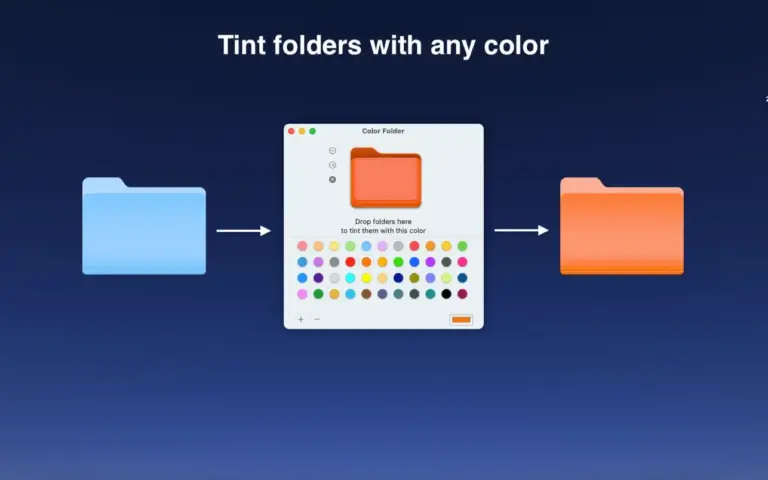
Color Folder Pro for Mac is made for Mac users who want to change the look of their folders. The normal macOS folder is blue, which is simple and clean. However, when you have many folders, they can all start to look the same. Color Folder Pro gives you a simple way to make folders easier to recognize. You can use different colors and folder designs to separate your files visually.
For example, you can use red folders for important work, green for completed projects, yellow for files that need attention, and blue for personal folders. You can choose a system that makes sense for your own work This can save time when you are looking through Finder. Instead of reading every folder name, you can quickly spot the color you are looking for.
The app can be useful for people who keep many files on their Mac. Designers may use different folder colors for clients and projects. Students can use colors for different subjects. Photographers can separate photos, edits, exports, and client files. Office users can use colors for reports, documents, and ongoing work.
Features
- customize the visual appearance of Mac folders
- Apply different colors to folders
- Make important folders easier to recognize
- Create a personal color-based organization system
- Improve visual navigation in Finder
- Useful for large collections of folders
- Suitable for work, personal, school, and creative projects
- Helps reduce the need to identify folders only by their names
- Works alongside Finder’s existing file organization features
- Adds a simple customization layer without replacing Finder
- Useful for users who frequently work with folders
- Can make the macOS desktop and Finder feel more personalized
Technical Details
- Software Name: Color Folder Pro MacOS
- Software File Name: Color Folder Pro 5.5.dmg
- Version: 5.5
- File Size: 23 MB
- File Extension: DMG
- License Type: Premium
- Developer: