
LilyView 1.8.0
LilyView 1.8.0 for Mac
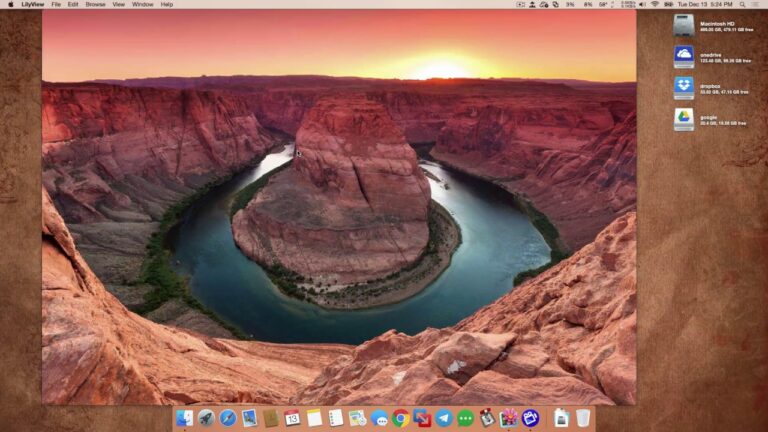
LilyView is an image viewer for macOS that brings together simplicity, speed, and ease of use in a visually pleasing package. Its minimalist design is immediately striking, offering a clutter-free environment for viewing and managing your image collections. This simplicity is where LilyView excels, providing a user-friendly experience that lets you focus on your images rather than dealing with a complex interface. Whether you’re a professional photographer or a casual user, the intuitive navigation and streamlined controls ensure that you can quickly and efficiently browse through your image library.
One standout feature is the gestures support, which allows you to navigate through images with ease using touchpad or mouse gestures. This is a particularly convenient addition for those using a MacBook or Magic Trackpad, making image browsing a tactile and enjoyable experience. The ability to zoom in and out using pinch gestures is a handy tool for examining image details. Furthermore, LilyView’s full-screen mode enables you to immerse yourself in your photos without any distractions, making it a great choice for presentations, slideshows, or just exploring your photography. This software also supports a wide range of image formats, so you can view not only common formats like JPEG and PNG but also more specialized formats often used in professional photography.
Features
- Quick File Info: Instantly view file properties and details.
- Multi-Touch Gestures: Zoom in and out with pinch gestures.
- Image Rotation: Easily rotate images to the correct orientation.
- Quick Look Integration: Preview images without opening the app.
- Slideshow Mode: Create and enjoy slideshows of your image collections.
- Full-Screen Mode: Immersive viewing experience with no distractions.
- Keyboard Shortcuts: Enhanced control for efficient image management.
- Automatic Wallpaper Update: Set your desktop wallpaper using LilyView.
- Image Sorting: Arrange images by name, date, or size for organized viewing.
- Gestures Support: Navigate through images using touchpad or mouse gestures.
- Touch Bar Support: Utilize the Touch Bar for seamless navigation and control.
- Retina Display Optimization: High-resolution support for crisp and clear images.
- Multi-Monitor Support: Works well with multiple displays for enhanced productivity.
- Efficient Thumbnail Loading: Fast loading of image thumbnails for swift navigation.
- Metadata Display: View essential image information such as file name and dimensions.
- Wide Image Format Support: Works with various formats, including JPEG, PNG, and more.
- User-Friendly Interface: Offers a minimalist and intuitive design for effortless image browsing.
- Customizable Background: Choose your preferred background color for a personalized experience.
- Batch Image Operations: Perform actions like deleting and copying on multiple images at once.
- No Advertisements or In-App Purchases: Enjoy an ad-free experience with no hidden costs.
Technical Details
- Mac Software Full Name: LilyView for macOS
- Setup App File Name: LilyView-1.8.0.dmg
- Version: 1.8.0
- Full Application Size: 6 MB
- Setup Type: Offline Installer / Full Standalone Setup DMG Package
- Compatibility Architecture: Apple M1, Apple-Intel Architecture