Bear 2.10
Bear 2.10 for Mac
A Markdown editor that files notes with hashtags inside the text instead of a separate folder tree.
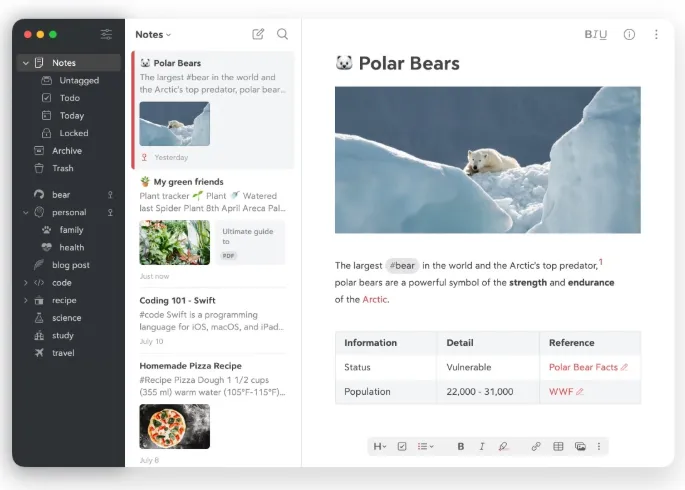
Open a note and type. Headings, lists, tables, and tasks stay in one file; the first line becomes the title. Drop a hashtag anywhere in the body and it appears in the sidebar, including nested paths such as project/alpha. Multi-word tags sit between hashes. Pin a tag or give it a TagCon if that branch of the library should stay at the top. Wiki-style links and the Info Panel backlinks turn a pile of pages into a small wiki. Fold a heading when you want the rest of the note out of the way. Special searches such as @todo or @images cut across the library without building a second database. Mermaid fenced blocks and math formulas render in place, so a flowchart or equation stays editable text instead of a screenshot.
Workspace, clipper, and the CLI
When the library gets noisy, right-click a tag and choose Use as Workspace. The note list, related tags, archive, and Trash shrink to that branch, which is useful before a screen share. Switch workspaces from the same menu, then return to All Notes and the Today entry to see what you touched. The web clipper drops a page into a note. On Mac, bearcli can search, create, and edit from a terminal or a script; Help, Advanced, Install Claude Connector wires the desktop Claude app if you want that, and an MCP server can be scoped with only-tags and exclude-tags so a private tag never leaves the Mac. Encrypted notes stay listed but unreadable to those tools.
Apple Notes versus a Markdown library
Apple Notes already captures a thought. This window is for people who want portable Markdown, hashtags that live in the file, and an Apple-only iCloud path instead of a folder of files on disk. Stay on the free tier if one Mac and TXT, Markdown, TextBundle, or RTF export is enough. Bear Pro is the App Store subscription that turns on iCloud across iPhone, iPad, and Mac, note encryption, app lock, OCR inside images and PDFs, extra themes, and HTML, Word, PDF, JPG, and ePub export. The store listing is $2.99 a month or $29.99 a year with a 14-day trial; one Apple ID covers the devices on that account, and it auto-renews. Shiny Frog syncs through CloudKit and cannot read your notes; with Advanced Data Protection, titles and tag names still stay unencrypted so Pro features can run. SiriAI in 2.10 can create a note, append files or text, pin, and run Spotlight searches, including the note on screen. You still need macOS 12.4 or later, and there is no Windows or Android client.