A menu bar manager that parks extra status icons in collapsible or floating sections, then brings them back with hover, click, a hotkey, or type-ahead search.
Always Visible, Collapsible, and Floating
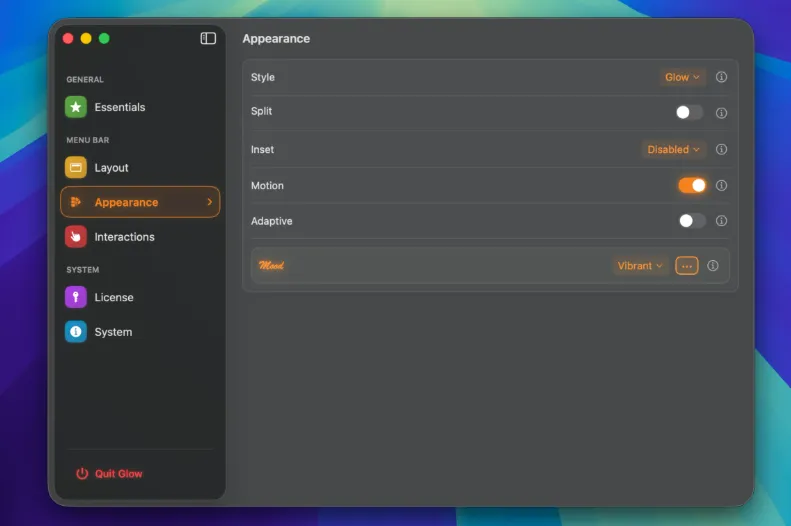
After install, the welcome window walks through the permissions Glow needs to read and rearrange status items. You then sort icons into three buckets: Always Visible stays in the strip; Collapsible tucks less-used items behind a reveal; Floating can live in a GlowBar panel instead of crowding the bar. Hover, click, or a custom shortcut opens the hidden set; Item Search finds an icon by name when you cannot remember which section holds it. Dragging still works, and you can also move items between sections without a drag. Quick Settings edits the bar look from the bar itself so you are not bouncing into the full Settings window for a tint or corner change.
macOS 26 only, and it replaces other hiders
This is not a menu-bar hider you can drop onto older macOS. The developer states it depends on macOS 26 removing the native menu bar background; earlier systems keep that background, so older Macs cannot run this engine. The stable line targets macOS 26; a beta track exists for macOS 27. Apple Silicon and Intel are both listed. The same FAQ asks you to turn off other menu-bar hiding utilities so two apps are not fighting the same icons. Glow uses private APIs the vendor calls long-stable but not guaranteed: Apple can change them, and the app is sold as-is.