iStatistica Pro 7.1.2
iStatistica Pro 7.1.2 for Mac
open a card dashboard when a process or sensor actually needs inspecting.
Menu-bar strips first, cards when something spikes
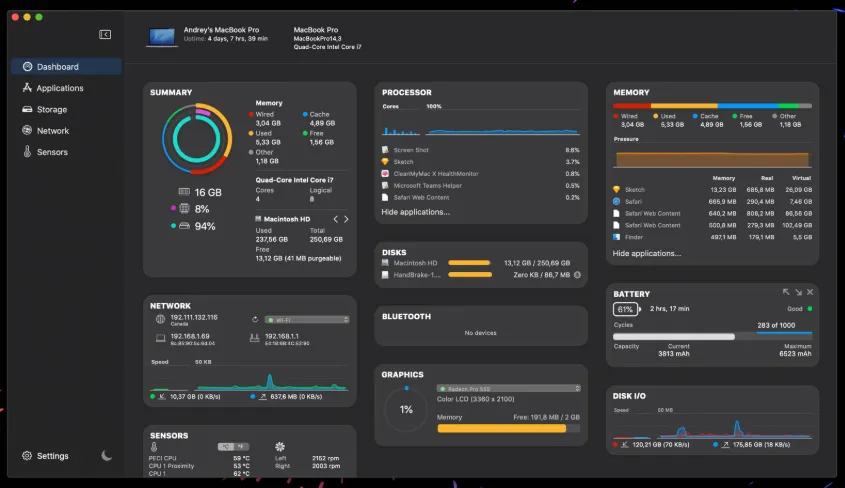
After you buy it on the Mac App Store, the app lives mostly as a set of menu-bar monitors: CPU, memory, disks, network, battery, and graphics. Click a strip when a number looks wrong and the main window opens as stacked cards—uptime, per-core CPU, memory pressure (active, cached, wired, free), disk space, battery cycles and health, plus inbound and outbound rates. An Applications tab keeps CPU and memory history per app so you can force-quit a runaway process without digging through Activity Monitor’s process tree. A Comparison tab and a Record control can dump key metrics to CSV when you want a short session log instead of a screenshot.
The Sensors plug-in, alerts, and a browser on the LAN
Temperatures, fan RPM, and disk I/O are not in the App Store package. Download iStatistica Sensors from the vendor site, drop it in Applications, and turn on Enable I/O Plug-in. The vendor also ties Quit / Force Quit and some per-app network counters to that plug-in. Notifications can fire on CPU, memory, GPU, disk, network, or sensor thresholds and optionally run a terminal command or an Automator workflow. Web access (settings toggle) serves a mobile-friendly dashboard and a JSON REST API on the Mac’s LAN address; lock it with a passkey and IP allow-list if that port will be reachable beyond your desk.
Ten dollars, Family Sharing, and what still belongs to Activity Monitor
The US App Store lists 9.99 USD as a one-time purchase with Family Sharing. A trial build also exists on the vendor site if you want to try the direct download first. Activity Monitor remains better for sample, spindump, and energy impact; this tool is for glanceable gauges, alerts, and optional LAN telemetry. Version 7.1.2 is the App Store build that lists macOS 27 compatibility and bug fixes—install the matching Sensors plug-in after any major 7.x jump, as the vendor still warns on the Pro page.