Photomator 3.4.15
Photomator 3.4.15 for Mac
A photo-first editor built for Apple platforms that handles RAW development, selective color work, retouching, and library culling without the layer stack of a full design suite.
Opening shots and the editing canvas
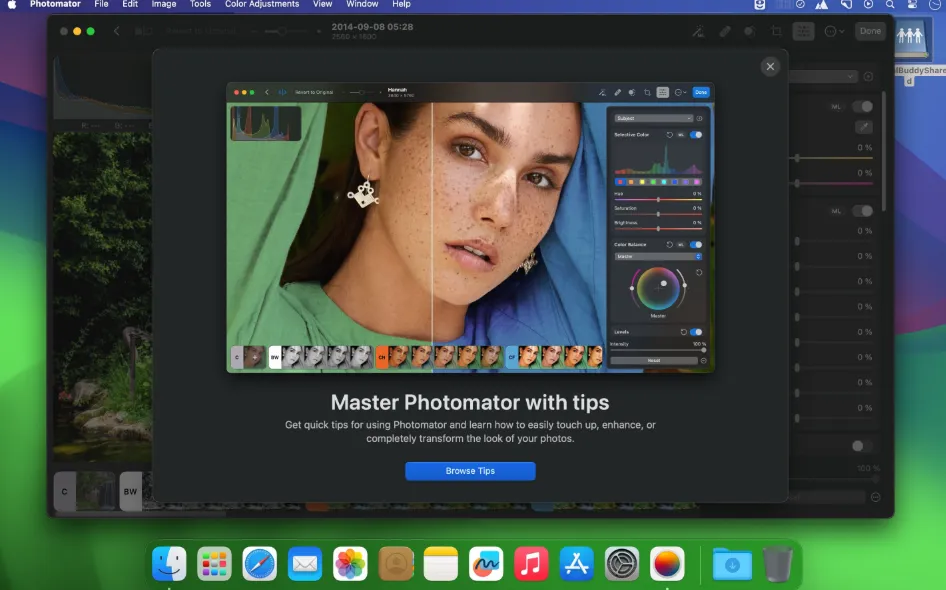
After installing from the Mac App Store, you can browse a folder on disk, connect an external drive, or open your Apple Photos library inside the app. The browser supports star ratings, flags, and filters so you can shortlist keepers before touching adjustments. Double-click an image and the workspace fills with a nondestructive tool strip: exposure, curves, selective color, clarity, and AI-powered subject, sky, and background masks sit alongside Repair and Clone tools for cleanup.
RAW files from more than 750 camera formats including Apple ProRAW and compressed Fujifilm RAW open with the same controls as JPEGs or HEIC shots. Batch editing lets you copy adjustments across a shoot, which suits event and travel workflows where dozens of frames need the same base grade. Edits made while browsing Photos-linked images sync back to the library according to Apple’s integration, so you are not maintaining a separate catalog unless you choose to work on loose files.
How do I install and activate?
Run the downloaded image and drag the app to the Applications folder shortcut.
Once the copy is complete, you can launch the app from Launchpad.
Compatibility
macOS 13 and later