DockDoor Pro 1.3.1
DockDoor Pro 1.3.1 for Mac
A paid dock replacement that takes over the bar along the edge of the screen: live window thumbnails, per-display layouts, and widgets instead of the built-in Dock.
Hover an icon, then act on the window
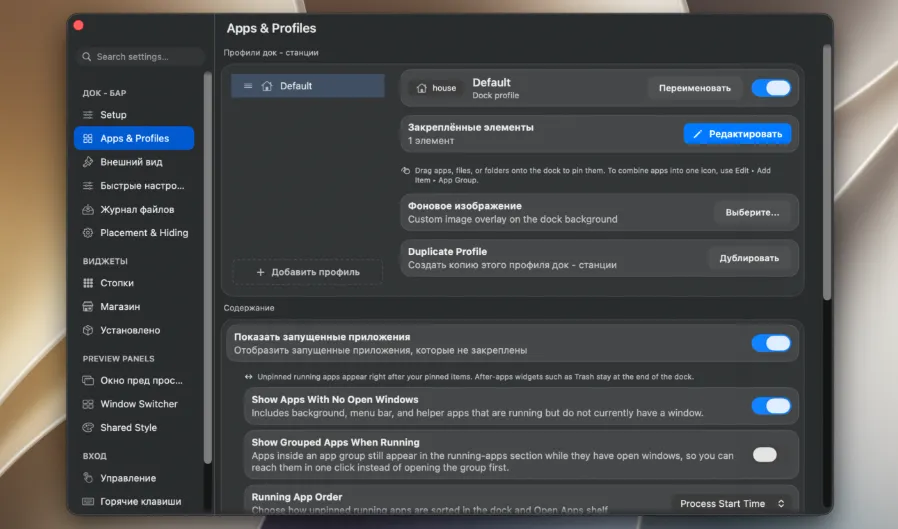
The in-app Setup pane is the usual first stop. Grant Accessibility and Screen Recording (the vendor treats both as required), optionally clone the icons already sitting on the system Dock, then decide whether to hide Apple’s bar. An experimental Hide Native Dock switch changes Dock preferences and restarts the Dock process. Mission Control and other OS-owned surfaces can still flash the system bar.
Point at a running app and its open windows appear as live thumbnails. From those cards you can focus a window, close it, minimize it, tile it to a half or quarter, go full screen, or quit without first raising the whole application. Long-press still opens the same stack while magnification is running. Right-click adds force quit, relaunch, show or close every window, and saved commands. An Alt-Tab-style switcher plus recorded hotkeys cover keyboard-first days.
How do I install and activate?
Run the downloaded image and drag the app to the Applications folder shortcut.
Once the copy is complete, you can launch the app from Launchpad.
Compatibility
macOS 13 and later