Loopback 2.5.0 for Mac
Loopback 2.5.0 MacOS
Software cables that turn app playback, microphones, and USB interfaces into one device other programs can record or stream from.
Wiring a device, then choosing it downstream
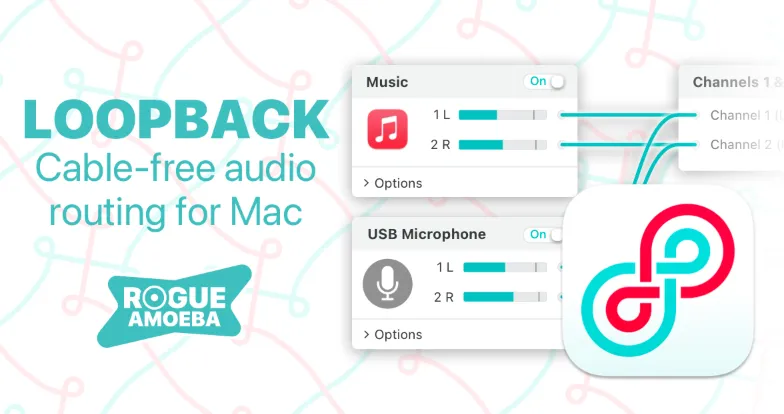
Launch the editor and create a virtual device. Sources go in the left column: Music, Safari, Zoom itself, a USB microphone, or a multi-input interface. Drag wires from those sources onto output channels. When the graph matches the mix you want, leave the device switched on. In Zoom, QuickTime Player, Logic Pro, or a screen recorder, pick that Loopback device as the microphone or input. A background handler keeps the virtual hardware alive after you close the editor, so the mix does not vanish when you quit the window.
Pass-Thru is the short recipe. Point Audio Hijack or any player at a Pass-Thru device as its output, then point a second app at the same device as input. For a live show, a common graph is microphone plus Music or Farrago into one stereo device, then that device as Zoom’s mic so remote guests hear both your voice and the beds. GarageBand, Logic, and Ableton Live still record from only one hardware device at a time; folding several interfaces into one Loopback device is how you get around that limit. Nested devices and up to 64 channels exist for studio maps. Everyday call and screencast work usually stays at two channels, two sources, and a pair of volume sliders.
How do I install and activate?
Run the downloaded image and drag the application to the Applications folder shortcut.
Once the copy is complete, you can launch the application from Launchpad.
Compatibility
macOS 11 and later