ForkLift 4.7.5 for Mac
ForkLift 4.7.5 MacOS
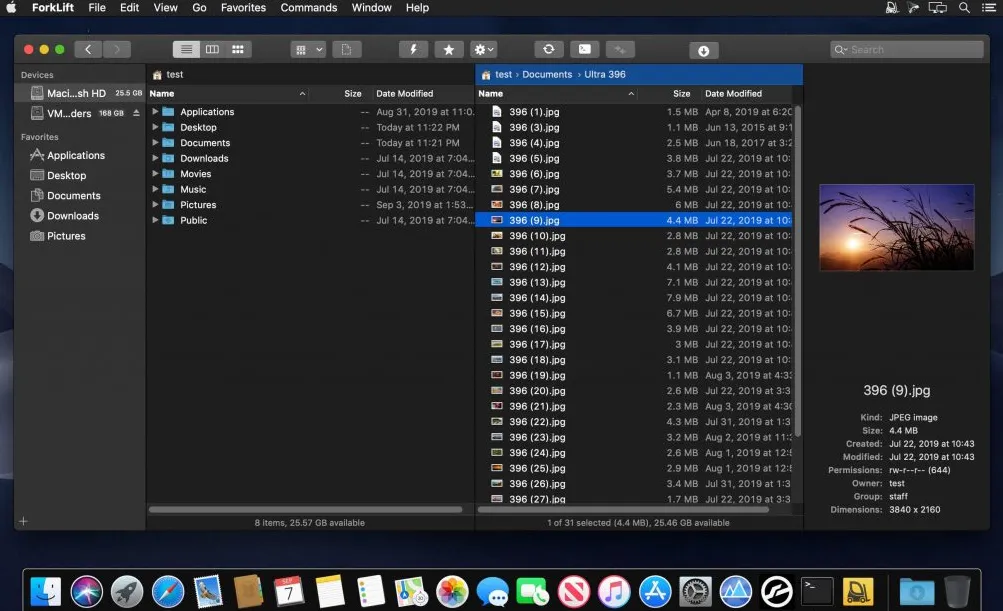
A two-pane window that treats a local folder and an SFTP host, cloud bucket, or second disk as sides of the same copy job.
Finder handles one place well. It slows down when you need two trees side by side, a site pushed to a server, or a backup folder kept in step with a working directory. This app is BinaryNights’ dual-pane file manager and transfer client: left pane, right pane, optional remote, then copy, move, or sync without stacking Finder windows.
Connect, drag, watch the queue
A session usually starts in the Connect panel or a saved favorite. Put a local project on the left. On the right, open another volume, an archive browsed like a folder, or a remote you already stored. Drag across, or stay on the keyboard most commands have remappable shortcuts. Tabs hold extra locations in the same pane; workspaces restore that layout later.
How do I install and activate?
Mount the image and launch Open Gatekeeper Friendly.
Press Enter to bypass Gatekeeper in the Terminal window.
Drag the application to the Applications folder.
WARNING! SIP must be disabled. Learn more >
Compatibility
macOS 12 and later