Resize Sense 2.3.3
Resize Sense 2.3.3 For MacOS
Resize Sense makes it possible to combine batch operation with manual cropping and straightening. Crop and straighten any image manually, and the cropped part will be resized as required. Everything in a single operation! Most other bulk resizers would, at best, allow to align the crop rectangle automatically, without any manual control. Moreover, with Resize Sense you can synchronize the crop & straighten settings between images, making it possible to bulk-crop many images manually!
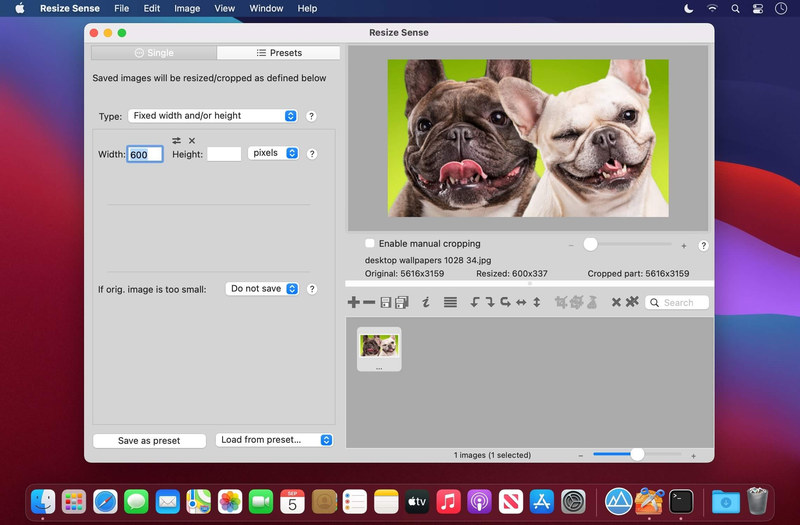
Resize Sense provides a live final image preview. See immediately how the final image looks after cropping, extending with borders, distorting, etc.
You never need to enter the same configuration twice! Just save your size configurations, as well as export settings, as presets.
Resize Sense offers a great export control. Replicate the original directory structure, use image information such as size and metadata in the generated filenames, etc.
Resize Sense lets you decide what to do if the image aspect ratio changes: crop, deform, or add borders. And if the image is too small for the requested size: enlarge, extend the canvas, keep the original, or skip this image.
Eliminate hours of tedious work needed to resize, crop, straighten, rotate, flip, and rename many images! Edit IPTC and even EXIF metadata in multiple images at a time.
Whether you have strict size requirements for a web / graphics design project, or just wish to make many pictures smaller for social media or e-mail, Resize Sense will get the job done quickly and easily. Save your settings as presets, and next times it will take even less time!
Features
- Define the exact required dimensions
- Fit the original image inside a box
- Specify the longest or shortest edge
- Define the required megapixel count
- Limit the output file size in bytes
- Only crop without resizing