SoundSource 6.1.2 for Mac
SoundSource 6.1.2 MacOS
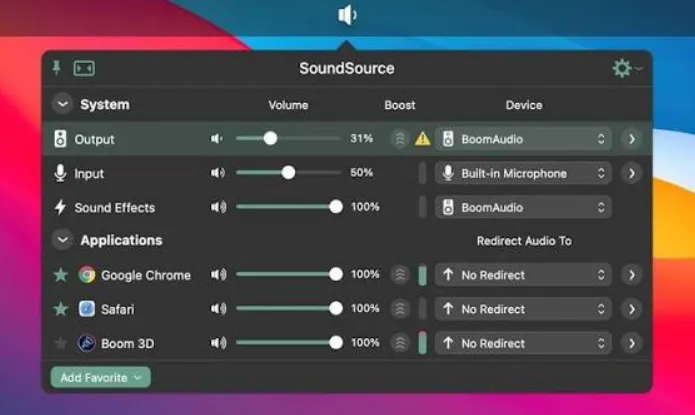
Per-application volume, output routing, and effects from the menu bar while macOS still exposes a single system-wide volume slider and one default output at a time.
After installation, SoundSource lives in the menu bar and lists running apps that produce sound. Click an app row to change its volume independently of Spotify, Safari, or a video-conferencing client, pick a different output (built-in speakers, a USB audio interface, Bluetooth headphones, or an AirPlay speaker), or attach EQ and Audio Unit effects to that app alone. System-wide Output, Input, and Sound Effects devices get their own section so you can adjust sample rate or balance without opening System Settings.
How do I install and activate?
Mount the image and launch Open Gatekeeper Friendly.
Press Enter to bypass Gatekeeper in the Terminal window.
Drag the application to the Applications folder.
The application is ready to use.
Compatibility
macOS 15 and later