PDF & Document Converter 6.3.2 for Mac
PDF & Document Converter 6.3.2 MacOS
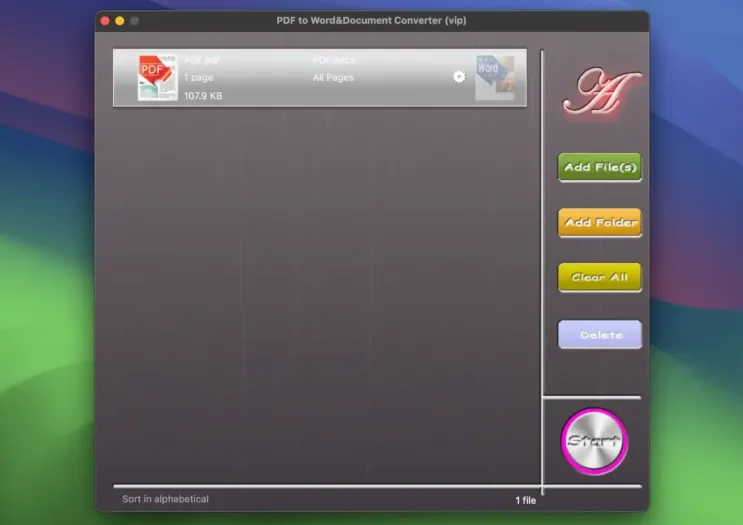
Turn a pile of PDFs into Word, PowerPoint, EPUB, images, or plain text in one batch, with optional page ranges, instead of exporting files one by one in a heavy editor.
The Mac App Store listing is a small English-only utility (about 3.6 MB) from seller 青青 余. Typical use is drag one or more PDFs onto the window, pick an output type, optionally limit each file to certain pages, then run the batch. Destinations advertised on the store are Word, PowerPoint, EPUB, TXT, images, HTML, XML, and RTF. Extract Image is a separate action if you only need pictures out of a PDF. Preview can show a PDF but will not hand you an editable .docx; this app is aimed at that hop. The download is free; an Unlock in-app purchase is listed at $3.99 in the US store. The listing does not spell out a default save folder or what still works before Unlock, so check those limits on a sample file. The privacy label says data is not collected; it does not say whether conversion is on-device or remote.
How do I install and activate?
Mount the image and launch Open Gatekeeper Friendly.
Press Enter to bypass Gatekeeper in the Terminal window.
Drag the application to the Applications folder.
The application is ready to use.